12
Car Mode Activation
To activate the Car Mode feature, initiate the process by pressing and holding the power
button for a duration of 3 seconds. Following the camera's activation, seamlessly navigate
to the setting interface by pressing and holding the M button for 2 seconds (depicted in
Figure 1). Proceed to confirm your selection by pressing the OK button, thus granting
access to the recording settings. Within this menu, navigate to the "car mode" option and
confirm the selection with another press of the OK button. Subsequently, delve into the
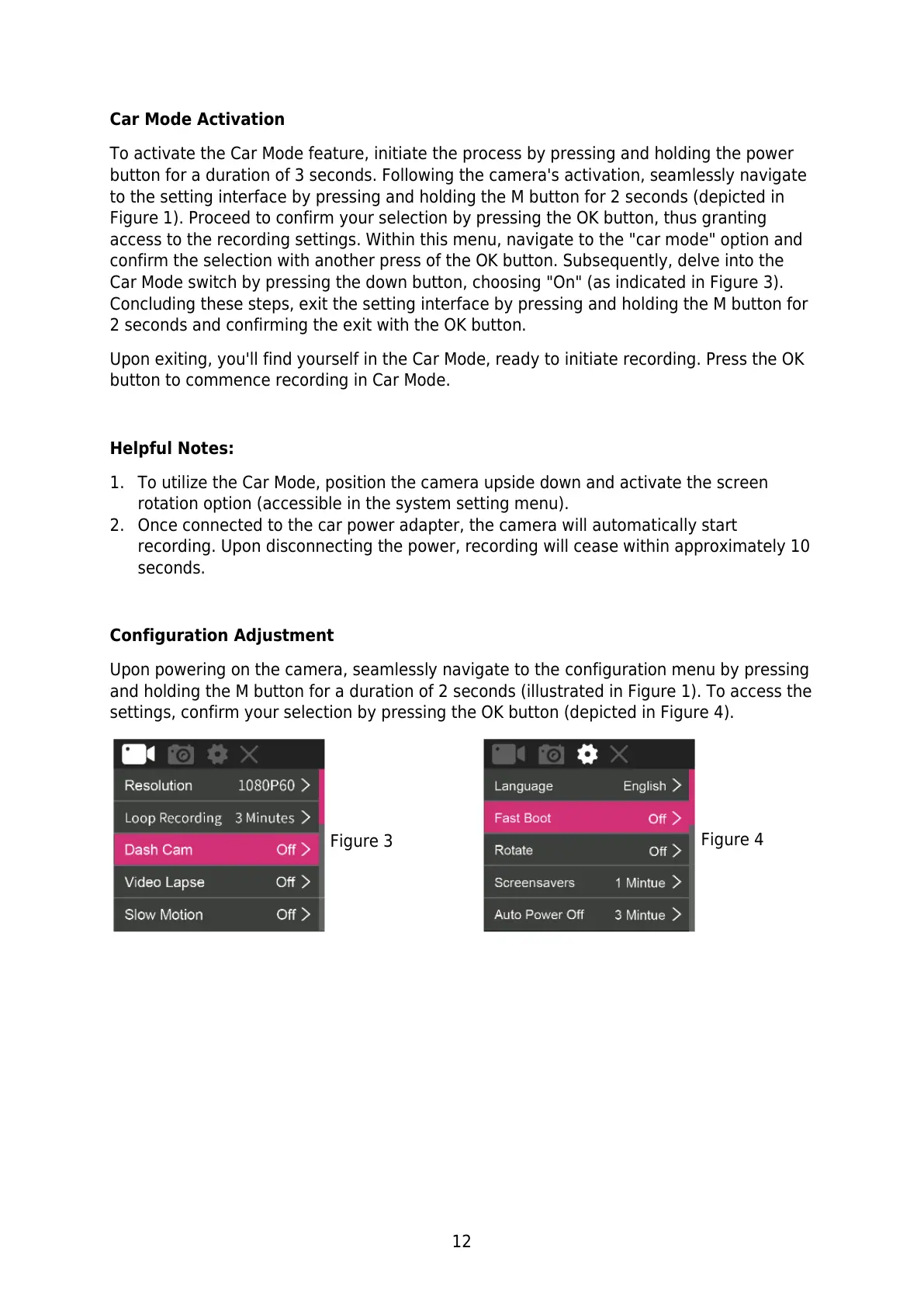
Car Mode switch by pressing the down button, choosing "On" (as indicated in Figure 3).
Concluding these steps, exit the setting interface by pressing and holding the M button for
2 seconds and confirming the exit with the OK button.
Upon exiting, you'll find yourself in the Car Mode, ready to initiate recording. Press the OK
button to commence recording in Car Mode.
Helpful Notes:
1. To utilize the Car Mode, position the camera upside down and activate the screen
rotation option (accessible in the system setting menu).
2. Once connected to the car power adapter, the camera will automatically start
recording. Upon disconnecting the power, recording will cease within approximately 10
seconds.
Configuration Adjustment
Upon powering on the camera, seamlessly navigate to the configuration menu by pressing
and holding the M button for a duration of 2 seconds (illustrated in Figure 1). To access the
settings, confirm your selection by pressing the OK button (depicted in Figure 4).



 To Next Page