SETUP SCREEN 8
RAW When turned on, an uncompressed le separate from the JPG
image will be written on the card for the purpose of editing later.
Use an external photo editing software to make adjustments before
saving to your intended letype. Available only in Photo mode.
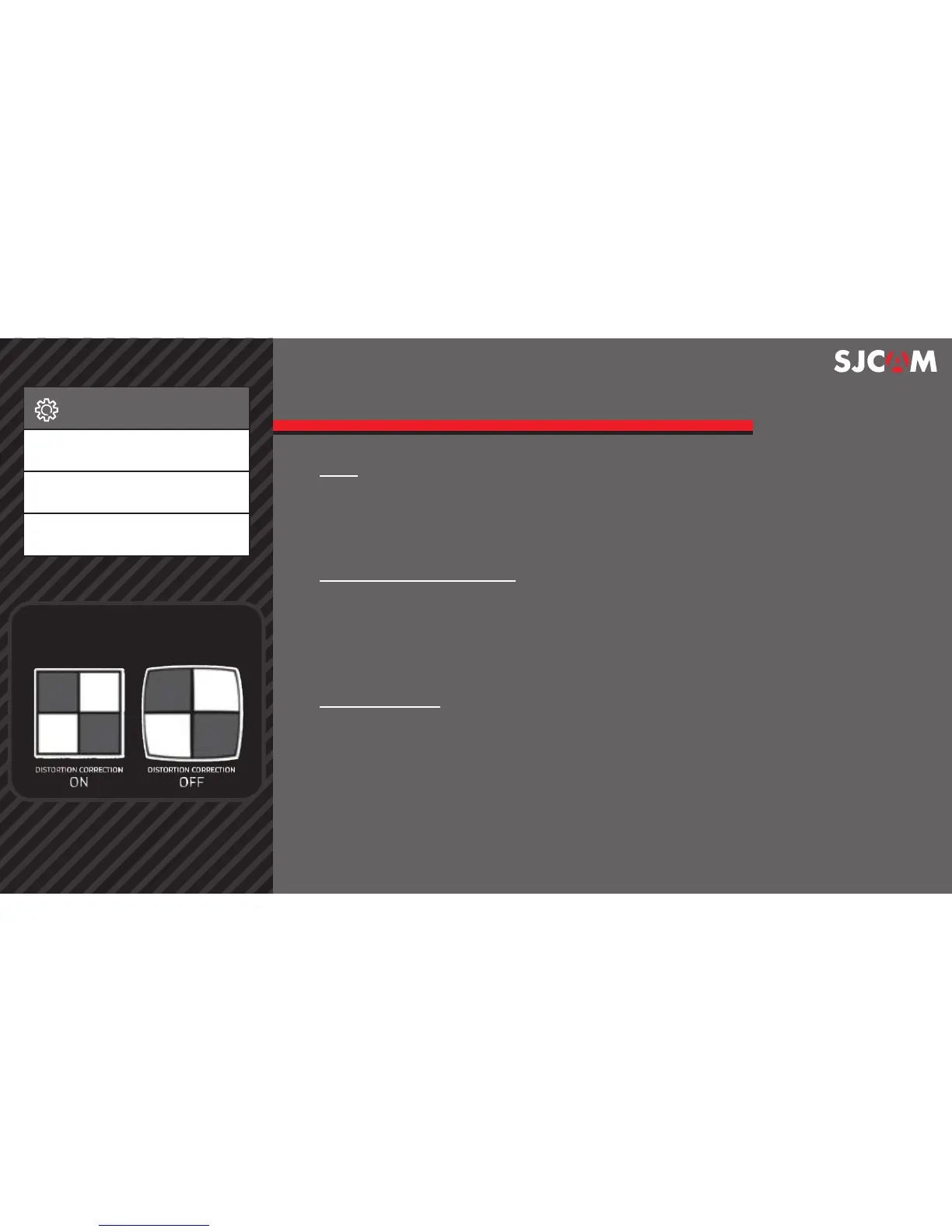
DISTORTION CORRECTION Since the lens of your action camera has a
very wide FOV (Field of View), your camera will try to t everything in,
and will result in the center appearing to be distorted or bulging.
Turning on Distortion Correction will force the image to make it appear
at as compared to having a sheye eect (bulging in the middle).
Displays your preset License Number at the bottom of LICENSE NO SET
your video. Use when your camera is mounted as a dashcam.
Setup
RAW
Distortion Correction
License No set
> >
A visual explanation of how
Distortion Correction works.



 To Next Page