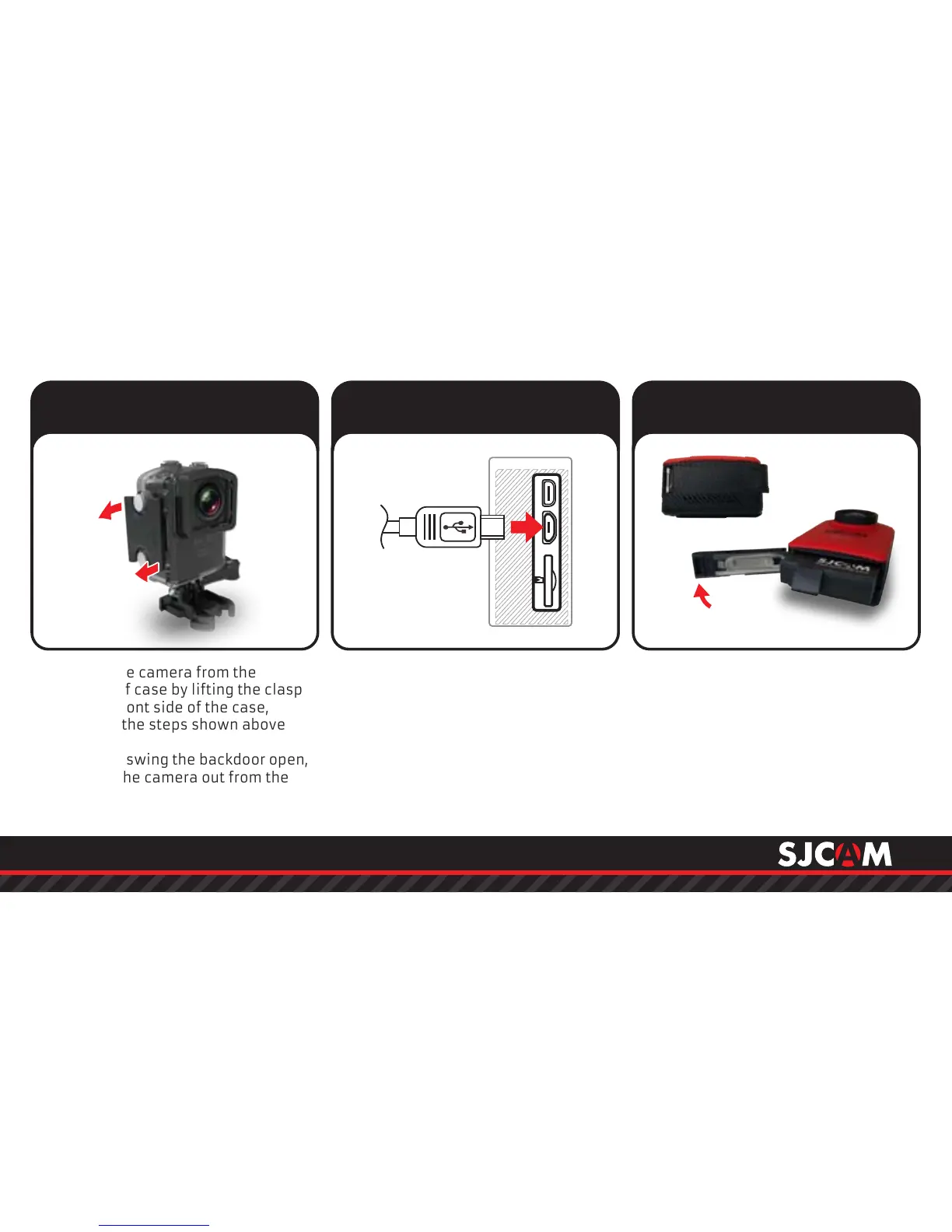
Remove the camera from the
waterproof case by lifting the clasp
from the front side of the case,
following the steps shown above
( & ).1 2
Once free, swing the backdoor open,
then pull the camera out from the
waterproof case.
MicroUSB Cable
Plug the MicroUSB cable to the slot
on the side of the camera as
indicated above, and the other end
to a USB wall charger with an output
of 5V 1A, or plug it to a computer.
Remove your battery by sliding the
lock at the bottom of the camera to
release the compartment door.
Pull the battery out by the ap, plug it
to an External Dual Charger Accessory
(not shown, sold separately).
Removing the M20 from the
Waterproof Case.
Charging your camera using
the MicroUSB cable.
Removing the battery.
111
222
111
222
333



 To Next Page