EasyManua.ls Logo

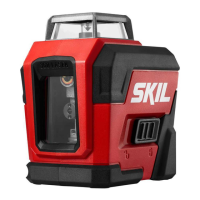
Skil LL9322G-00 - User Manual

Skil LL9322G-00
48 pages
Print Icon
To Next Page IconTo Next Page
Loading...
WARNING: To reduce the risk of injury, the user must read and understand the
Operator’s Manual before using this product. Save these instructions for future reference.
AVERTISSEMENT : Afin de réduire les risques de blessure, l’utilisateur doit lire et
comprendre le guide d’utilisation avant d’utiliser cet article. Conservez le présent guide
afin de pouvoir le consulter ultérieurement.
ADVERTENCIA : Para reducir el riesgo de lesiones, el usuario debe leer y comprender
el Manual del operador antes de utilizar este producto. Guarde estas instrucciones para
consultarlas en caso sea necesario.
Owner’s Manual
Guide d’utilisation
Manual del propietario
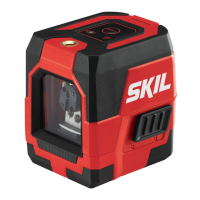
Self-leveling 360 Degree Green Cross line Laser
Niveau laser à croix vertes et à nivellement
automatique 360°
Láser autonivelante de líneas cruzadas
verdes de 360 grados
Model/ Modelo/ Modèle: LL9322G-00
For Customer Service
Pour le service à la clientèle
Servicio al cliente
1-877-SKIL-999
OR
www.skil.com

Questions and Answers

  • C
    Cassandra AguilarAug 5, 2025
    Why is the laser line hard to see on my Skil LL9322G-00?
    • M
      Melody RodriguezAug 5, 2025
      If the laser line on your Skil Laser Level is hard to see, it might be because the tool is too far from the target. Try moving the tool closer to the target to improve visibility.
  • C
    Connie HowellAug 18, 2025
    What to do if the laser line flickers on my Skil LL9322G-00?
    • N
      Nathan HudsonAug 19, 2025
      If the laser line flickers on your Skil Laser Level, it's likely an alert indicating that the surface where the tool is placed is uneven, or the tool is out of its automatic Self-Leveling range. To resolve this: 1. Place the tool on a more level surface (within ±4°). 2. Set the tool to its manual leveling mode.

Summary

General Laser Tool Safety Warnings

FCC Statement

States manufacturer's responsibility regarding radio interference and FCC compliance rules.

Safety Rules For Connecting External Power Supply

Symbols

Safety Symbols

Explains the meaning of safety alert symbols like DANGER, WARNING, CAUTION.

Damage Prevention And Information Messages

Provides information and instructions to prevent equipment or property damage.

Get To Know Your Laser Tool

Packing List

Specifications

Operating Instructions

Applications

Lists various applications for the laser tool.

Charge the Tool and Monitor Charge

Instructions on how to charge the tool and monitor battery status.

Turn the Self-Leveling 360 Degree Cross Line Laser On and Off

Laser-Line Projection Modes

Self-Leveling Mode

Manual Leveling Mode

Using With the Tripod

Adjusting Center Column Height

Instructions for adjusting the tripod's center column height using the crank and lock.

Adjusting Mounting Plate Tilt

Instructions for adjusting the mounting plate's tilt angle.

Maintenance

Trouble Shooting

Limited Warranty Of Skil Consumer Tools

Skil LL9322G-00 Specifications

General IconGeneral
Laser Wavelength510-530 nm
Laser ClassClass 2
Self-Leveling Range±4°
Power SourceBattery
IP RatingIP54
Laser ColorGreen
Battery TypeAA
Battery LifeUp to 20 hours
Mounting OptionsTripod, Magnetic Mount

Related product manuals