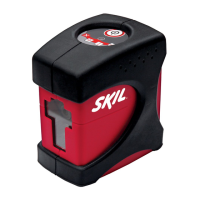
Why is the laser line hard to see on my Skil LL932301?
- Jjames83Jul 28, 2025
The laser line might be difficult to see because the tool is too far from the target. To fix this, move the Skil Laser Level closer to the target.
Why is the laser line hard to see on my Skil LL932301?
The laser line might be difficult to see because the tool is too far from the target. To fix this, move the Skil Laser Level closer to the target.
What to do if the laser line flickers on my Skil LL932301?
If the laser line on your Skil Laser Level is flickering, it could be because the surface where the tool is placed is uneven, or the tool is out of its automatic self-leveling range. To resolve this, first, place the tool on a more level surface. If the issue persists, set the tool to its manual leveling mode.
How to fix a Skil Laser Level when the laser line is not projected?
If the laser line is not being projected by your Skil Laser Level, the battery charge might be too low. Charge the battery to resolve this issue.
Warns about direct eye exposure, flash blindness, and not staring into the beam.
Covers avoiding children operating the tool, placement, and reflective surfaces.
Details required output voltage (5V) and electricity (≥0.5A) for adapters.
Explains the purpose and meaning of safety alert symbols like DANGER, WARNING, and CAUTION.
Defines the severity levels associated with DANGER, WARNING, and CAUTION signal words.
Lists and explains common symbols used on the tool for better and safer operation.
Introduces the laser tool's versatility and common applications like aligning tiles and wall studding.
Identifies key components of the laser tool and its accessories using a diagram.
Lists all items included in the product package, such as the laser tool, clamp, and manual.
Details technical specifications like battery voltage, laser type, range, accuracy, and operating conditions.
Lists various tasks the laser tool is suitable for, such as hanging pictures and laying tile.
Provides instructions on how to charge the tool's battery before first use and recommended charging times.
Details the procedure for turning the laser on and off using the mode switch and laser button.
Explains how the tool levels itself within ±4° and what happens if the surface is too steep.
Describes how to lock the laser lines for manual leveling and the behavior of the leveling indicator.
Explains the DOE feature for equidistant scales and its benefits for hanging pictures.
Explains how laser scale lengths vary with distance and how to achieve equidistant scales.
Reminds users to keep the tool within ±4° in self-leveling mode to prevent the laser line from blinking.
Details how to attach the tool to various surfaces using the clamp and the 1/4" screw platform.
Explains how to loosen the knob, adjust the platform, and orient the rod for target projection.
Provides advice on avoiding shock, vibration, extreme temperatures, and keeping the tool clean.
Warns against disassembling the tool, changing the laser lens, and improper disposal of the product.
Addresses problems like the laser line not projecting or being hard to see, and their solutions.
Explains why the laser line might flicker and how to resolve it by adjusting the surface or mode.
Provides information on recycling lithium-ion batteries and consulting local authorities.
Details the warranty period for tools, batteries, and chargers, and conditions for registration.
Outlines what the warranty does not cover and the process for making a warranty claim.
Warns about direct eye exposure, flash blindness, and not staring into the beam.
Covers avoiding children operating the tool, placement, and reflective surfaces.
Details required output voltage (5V) and electricity (≥0.5A) for adapters.
Explains the purpose and meaning of safety alert symbols like DANGER, WARNING, and CAUTION.
Defines the severity levels associated with DANGER, WARNING, and CAUTION signal words.
Lists and explains common symbols used on the tool for better and safer operation.
Introduces the laser tool's versatility and common applications like aligning tiles and wall studding.
Identifies key components of the laser tool and its accessories using a diagram.
Lists all items included in the product package, such as the laser tool, clamp, and manual.
Details technical specifications like battery voltage, laser type, range, accuracy, and operating conditions.
Lists various tasks the laser tool is suitable for, such as hanging pictures and laying tile.
Provides instructions on how to charge the tool's battery before first use and recommended charging times.
Details the procedure for turning the laser on and off using the mode switch and laser button.
Explains how the tool levels itself within ±4° and what happens if the surface is too steep.
Describes how to lock the laser lines for manual leveling and the behavior of the leveling indicator.
Explains the DOE feature for equidistant scales and its benefits for hanging pictures.
Explains how laser scale lengths vary with distance and how to achieve equidistant scales.
Reminds users to keep the tool within ±4° in self-leveling mode to prevent the laser line from blinking.
Details how to attach the tool to various surfaces using the clamp and the 1/4" screw platform.
Explains how to loosen the knob, adjust the platform, and orient the rod for target projection.
Provides advice on avoiding shock, vibration, extreme temperatures, and keeping the tool clean.
Warns against disassembling the tool, changing the laser lens, and improper disposal of the product.
Addresses problems like the laser line not projecting or being hard to see, and their solutions.
Explains why the laser line might flicker and how to resolve it by adjusting the surface or mode.
Provides information on recycling lithium-ion batteries and consulting local authorities.
Details the warranty period for tools, batteries, and chargers, and conditions for registration.
Outlines what the warranty does not cover and the process for making a warranty claim.
| Laser Class | Class II |
|---|---|
| Laser Wavelength | 635 nm |
| Self-Leveling Range | ±4 degrees |
| Battery Life | up to 10 hours |
| Power Source | Battery |
| Battery Type | AA |
| Mounting Options | tripod |
Loading...