EasyManua.ls Logo

Skil LL9325-00 - User Manual

Skil LL9325-00
68 pages
Print Icon
To Next Page IconTo Next Page
Loading...
1-877-SKIL-999
OR
www.skiltools.com
WARNING: To reduce the risk of injury, the user must read and understand the
Operator’s Manual before using this product. Save these instructions for future reference.
AVERTISSEMENT : Afin de réduire les risques de blessure, l’utilisateur doit lire et
comprendre le guide d’utilisation avant d’utiliser cet article. Conservez le présent guide
afin de pouvoir le consulter ultérieurement.
ADVERTENCIA : Para reducir el riesgo de lesiones, el usuario debe leer y comprender
el Manual del operador antes de utilizar este producto. Guarde estas instrucciones para
consultarlas en caso sea necesario.
Owner’s Manual
Guide d’utilisation
Manual del propietario
For Customer Service
Pour le service à la clientèle
Servicio al cliente
Model/ Modelo/ Modèle: LL9325-00
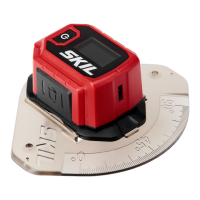
SKIL Compact Digital Level with Line Laser
Niveau numérique compact SKIL avec laser à lignes
Nivel digital compacto SKIL con láser de línea

Questions and Answers

  • P
    Peter RogersJul 28, 2025
    What to do if my Skil Laser Level can’t be turned on?
    • B
      bgreenJul 28, 2025
      If your Skil Laser Level won't turn on, it might be due to a couple of reasons. First, check to see if the batteries are installed correctly or if they're completely drained. Try installing new batteries. If that doesn't work, make sure the batteries are installed with the correct polarity.
  • R
    robertfloresAug 7, 2025
    Why is the laser line not projected on my Skil LL9325-00 Laser Level?
    • S
      Sydney GarciaAug 7, 2025
      If your Skil Laser Level isn't projecting a laser line, the laser might simply be turned off. Make sure to press the power/laser switch to activate it.
  • M
    Mrs. Kayla Carter MDAug 16, 2025
    Why is the laser line projection weak on my Skil LL9325-00?
    • C
      craig79Aug 16, 2025
      If the laser line projection on your Skil Laser Level appears weak, the batteries might be the issue. Try replacing them with a fresh set of batteries.

Summary

General Safety Warnings

Laser Beam Safety and Handling

Avoid direct eye exposure, do not stare into the beam, avoid reflective surfaces, and prohibit modification.

Get to Know Your Tool

Specifications

Operating Instructions

Battery Installation and Management

Guide for installing batteries, including notes on care and removal.

Tool and Laser Operation

How to turn the tool and laser on/off, manage auto-off features, and use the backlight.

Laser Line Projection on Walls

Wall Projection Operation

Positioning, adjusting, and operating the tool for wall projection.

Laser Line Projection on Floors

Floor Projection Setup and Use

Mounting with a protractor and aligning the laser line on the floor.

Digital Level Functionality

Maintenance and Care

Troubleshooting

Skil LL9325-00 Specifications

General IconGeneral
TypeLine Laser
Laser ColorRed
Self-LevelingYes
Laser Wavelength635nm
Laser ClassClass II
Maximum Power Output< 1 mW
Battery Life10 hours
Self-Leveling Range±4 degrees
Mounting OptionsTripod
Accuracy1/8 in. at 30 ft
Operating Temperature14°F to 104°F

Related product manuals