22
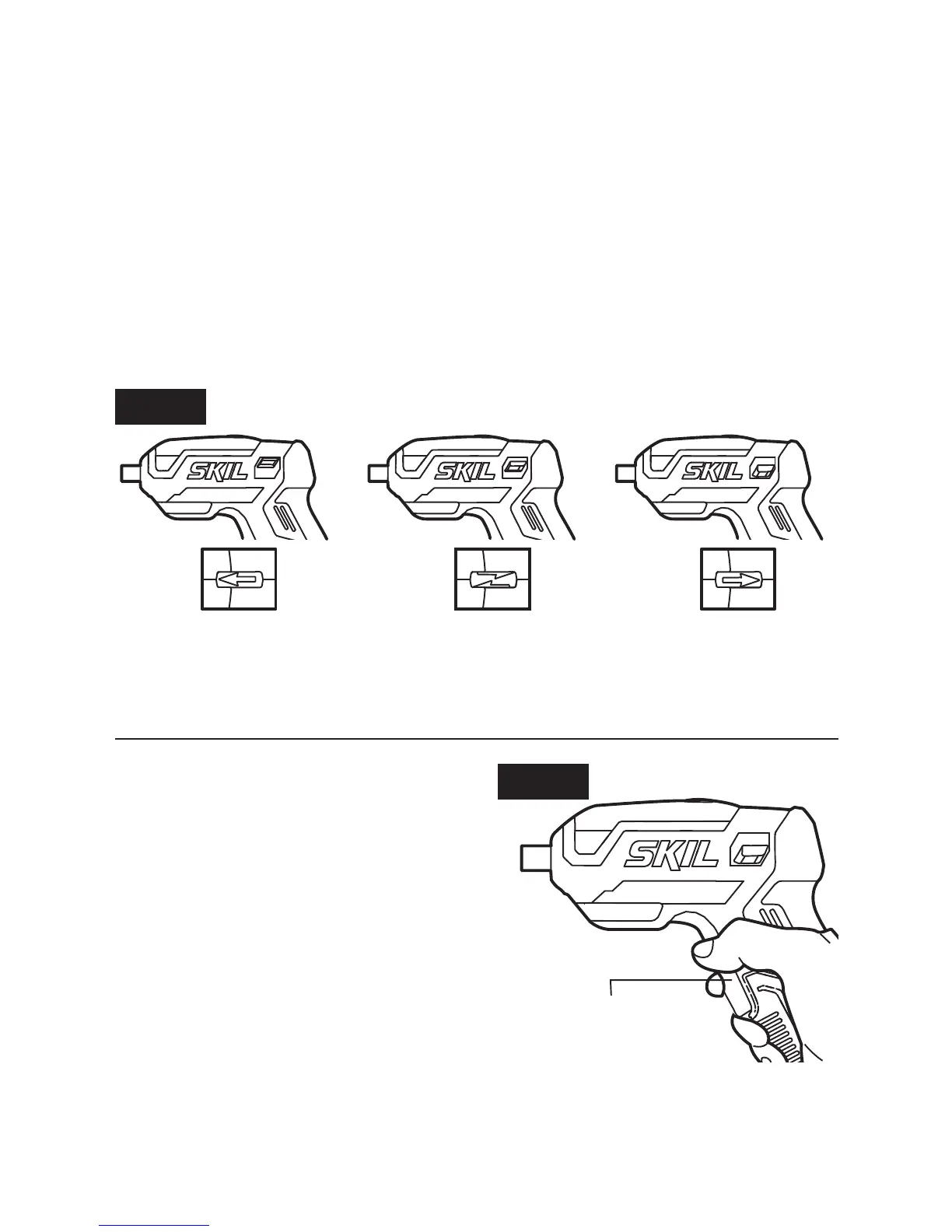
a) Position the direction-of-rotation selector up for forward rotation.
b) Position the direction-of-rotation selector down for reverse
rotation.
c) Set the selector in “OFF” (center-lock) position to help reduce the
possibility of accidental starting when not in use (Fig. 3).
NOTICE:
To prevent gear damage, always allow the screwdriver to
come to a complete stop before changing the direction of rotation.
NOTICE: The screwdriver will not run unless the direction-of-rotation
selector is fully engaged to indicate either forward or reverse.
Fig. 3
Forward
Center-Lock Reverse
Trigger Switch
Your tool is equipped with a trigger
switch with enough room for two
ngers for more comfortable
operation and better control.
The tool can be turned “ON” by
depressing the trigger, or “OFF”
by releasing the trigger
(Fig. 4).
Fig.4
Trigger Switch



 To Next Page