EasyManua.ls Logo

SKIPIO SUF15-2 - Change Model; Change the Defrost Cycle

Default Icon
41 pages
Print Icon
To Next Page IconTo Next Page
To Previous Page IconTo Previous Page
Loading...
25
Table 2
Display
Description
Display
Description
Memo
"00"
unchangeable
" 50"
5.0
"-10"
1.0℃ ↓
" 40"
4.0℃ ↑
"-20"
2.0℃ ↓
" 30"
3.0℃ ↑
"-30"
3.0℃ ↓
" 20"
2.0℃ ↑
"-40"
4.0℃ ↓
" 10"
1.0℃ ↑
"-50"
5.0℃
"00"
Non
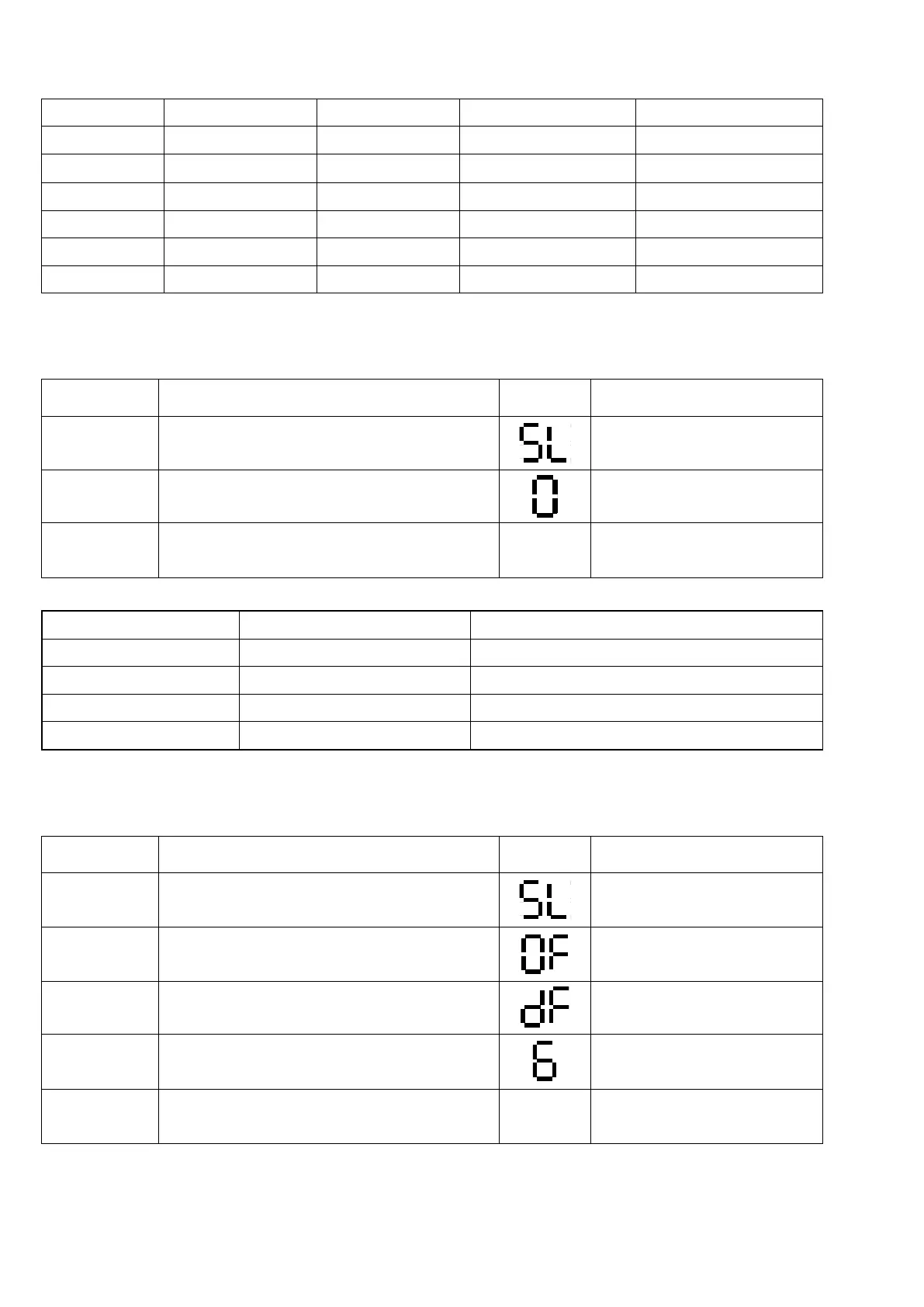
3-4-5. Change Model
STEP
OPERATION
DISPLAY
RESULT
Step 1
Push the ▼ ▲ button Five seconds.
Step 2
Push the ▼button fivetime.
Now is the setting value.
Step 3
Push the ▼ button When changed
Setting
value
Reference Table 3
Table 3
Display
Description
applicable Model
0
R
SUR Series
1
F
SUF Series
2
RF
K-Series Dual
3
constant temperature
K-Series constant temperature
3-4-6. Change the defrost cycle
STEP
OPERATION
DISPLAY
RESULT
Step 1
Push the ▼ ▲ button Five seconds.
Step 2
Push the ▼button twotime.
Step 3
Push the ▼button twotime.
OF->Od->dFmodified
Now is the setting value.
Step 4
Push the ▲ button When changed
Setting
value
Reference Table 4

Table of Contents

Related product manuals