EasyManua.ls Logo

SKMEI 1301 - User Manual

SKMEI 1301
16 pages
Print Icon
To Next Page IconTo Next Page
Loading...
USER MANUAL
Display and Button Functions
Key S1 : Up ,Begin timing ,Pause,Switch,Photograph
Key S2 : Selection,Setting,Reset
Key S3 : Mode Conversion,Confirming and Save
Key S4 : EL Back Light, Bluetooth Switch
Function instruction:
1. 8-digit timer function, the normal time mode display Week,Hours,Minutes, seconds
(Synchronize automatically with your phone when connected with the phone)
2. 12/24 hour Format setting selection (Synchronize automatically with your phone when connected with the phone)
3.24 hours precise 3D pedometer / calorie consumption / distance detection (the data can be uploaded to the phone when connected with
the phone )
4. Alarm:Timing Alarm( The alarm time can be set by the APP when connected with phone.)
5. Stopwatch/Chronograph: Maximum stopwatch timing 23 hours, 59 minutes and 59 seconds, can be split
6. EL backlight, press Key S4 one time the light will last 2 seconds.
7. Low Battery Power Reminding (the icon flashes when voltage of the battery is under 2.4V)
8. The Bluetooth function can be turned on and off (different application mode to save power)
9. To share and rank the sport data in circle of friends with Chinese or English APP in Android/IOS phone,support global network by
backstage server.
10. When connecting with APP of phone or Tablet PC,it can upload sport data and backup to the cloud server
11. Synchronize the time, date and alarm setting smartly in your phone, instead of the cumbersome manual operations.
12. Reminding of Calls, SMS, QQ, WeChat, Twitter, Facebook,Whatsapp and Skype.
13. Taking Photo from Phone Camera by remote control
Question and Answer IconNeed help?

Do you have a question about the SKMEI 1301 and is the answer not in the manual?

Summary

Display and Button Functions

Button Functions Overview

Overview of all buttons (S1, S2, S3, S4) and their functions.

Function Instruction Details

Detailed explanations of the watch's features and operations.

On;Off and Bluetooth Modes

Shutdown and Boot Mode

Instructions for turning the device off and on.

Bluetooth ON;OFF Operation

How to enable or disable the Bluetooth connection.

Switching Watch Modes

Mode Navigation

Navigating between Normal Time, Date, Steps, Calories, Alarm, and Distance modes.

EL Backlight Activation

How to activate the screen's backlight.

Time and 12;24 Hour Format Setting

Adjusting Time and Format

Adjusting the watch's time and 12/24 hour format.

Date Setting and Battery Status

Setting the Date

Adjusting the year, month, and day settings.

Low Battery Indicator

How the device indicates a low battery status.

Alarm Setting Mode

Configuring Alarms

Setting alarm times and chimes.

Chronograph Setting Mode

Using the Stopwatch

How to start, stop, and split stopwatch timing.

Checking Sport Data

Viewing Steps, Calories, Distance

How to view step count, calorie consumption, and distance.

Companion App Download and Install

Guide for downloading and installing the companion mobile app.

Mobile App Operation

Setting Personal Information

How to input user details like name, gender, and height.

Bluetooth Connection and Binding

Pairing Watch with Mobile App

Steps to connect the watch to the mobile app via Bluetooth.

Data Sharing After Bluetooth Connectivity

Sharing Sport Data to Social Media

How to share recorded sport data to social media platforms.

Data Synchronization After Bluetooth Connect

Time and Sport Data Sync

How the watch syncs time and sport data with the phone.

Alarm Setting via App

Configuring alarms using the mobile application.

Notification Reminders and Camera Control

Setting Call and Message Alerts

Enabling notifications for calls, SMS, and app alerts.

Remote Camera Function

Using the watch to trigger the phone's camera remotely.

Phone Notification Settings

Allowing App Permissions

Configuring phone settings for background app operation and notifications.

App Permission Management and Unpairing

Managing Protected Apps and Permissions

Adjusting app permissions for background activity and notifications.

Unpairing from iOS Device

Steps to disconnect the watch from an Apple iPhone.

Electrical Parameters and Battery Life

Technical Specifications Overview

Details on voltage, frequency, current, and battery code.

Usage Modes and Battery Duration

Expected battery life based on different usage modes.
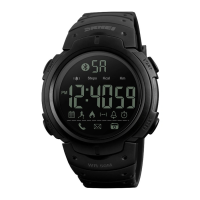
SKMEI 1301 Specifications

General IconGeneral
BrandSKMEI
Model1301
CategoryWatch
LanguageEnglish

Related product manuals