ILLUM
ILLUM 1
2
AC*
AC
ON
AUX
AUX ON AUX OFF
BACK
Press preset button to set if you
want the radio backlight switched off when the
headlights are off.If you set , the volume knob
ring willbe illuminated whenever the ignition is
on.
If your car is fitted with CLIMATRONIC unit, the
display of your radio will display any manual
change of the settings. This you can check
whether the change you performed was
accepted by the unit. If you want this
confirmation, press preset button and
setto .
Note: the display is only a setting aid. The radio
has no effect on climate unit control, and the
climate unit cannot be controlled from the
radio.
Your radio has an external input allowing
playbackfromother audio sources.The input is
active, if . If , the input is
deactivated.
Press preset button to return to
previousmenulevel.
Thedisplay clears after10s of inactivity.
12
12
12
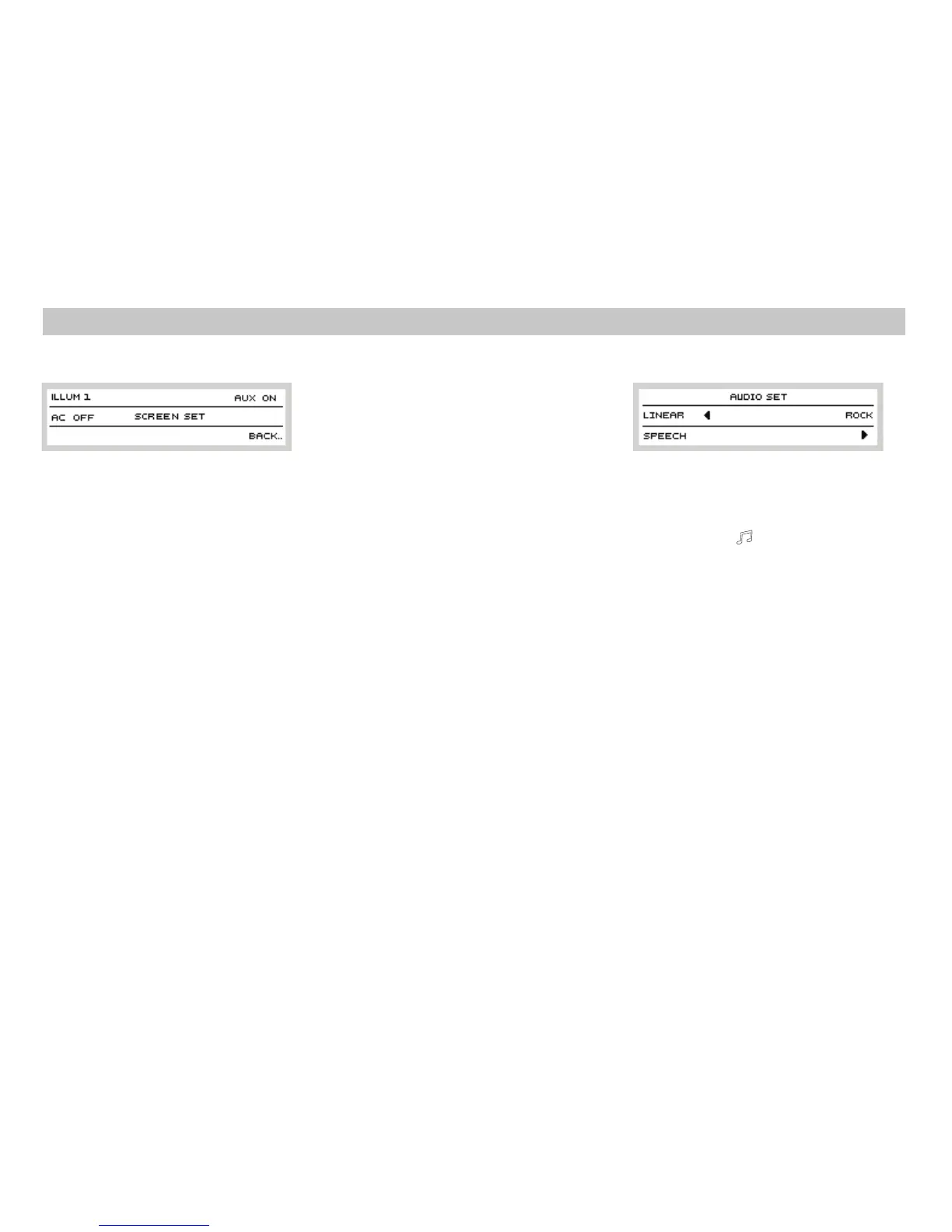
If you have external amplifier connected, your
radio can be used to select sound effects
suitable to particular programs you listen to.
Press button to view a display with
available sound effects. External amplifier has
6 implemented sound effect, divided into the
followingmenus:
Standard linear frequency response,
suitable for all types of music or
speech.
A sound effect which boosts the
speech and reduces other sounds,
thusimprovingthe clarity ofspeech.
A sound effect most appropriate for
rockmusic.
To move to other display with
availablesound effects.
LINEAR
SPEECH
ROCK
4
8
Ext. Amplifier control*
14
PHONE
PHONE
ON OFF
TIME
TIME ON/OFF
TEMP
TEMP ON/OFF
If your car is fitted with a handsfree set, the
radio can be muted automatically during
incoming or outgoing call. Activate this
function by pressing preset button
. When is set, incoming calls will have
noeffecton the radio.
Presspreset button to switch
on/off the time display on the display of your
radio.
Press preset button to
switch on/off the exterior temperature display
onthe display ofyour radio.
Another push of the preset button
displays the last level of special features
settings:
4
12
12
12
12
User Settings














 To Next Page