AUX
AUX VOL
ThirdlevelofAUDIOsettings
GALA
GALA
PDCVOL*
PDC VOL
Your radio has an external input allowing
playbackfromother audio sources.
setssensitivity of theexternal input.
Passageto the nextlevel of settings
Your radio automatically increases the volume
with increasing drive speed so that perceived
volume does not change. The rate of increase
can be set by pressing preset button
and turning of button . Higher numbers mean
sharper increase. When 0 is set, the volume
doesnot change.
Sometimes, excess volume can distract you
when parking your car. If your car is fitted with
“parking aid” device, the radio will lower the
volume to preset level when the “parking aid”
unit is active. Press preset button
and turn button to set the volume level, to
which the volume will be reduced auto-
maticallyduring parking.
4
12
1
12
1
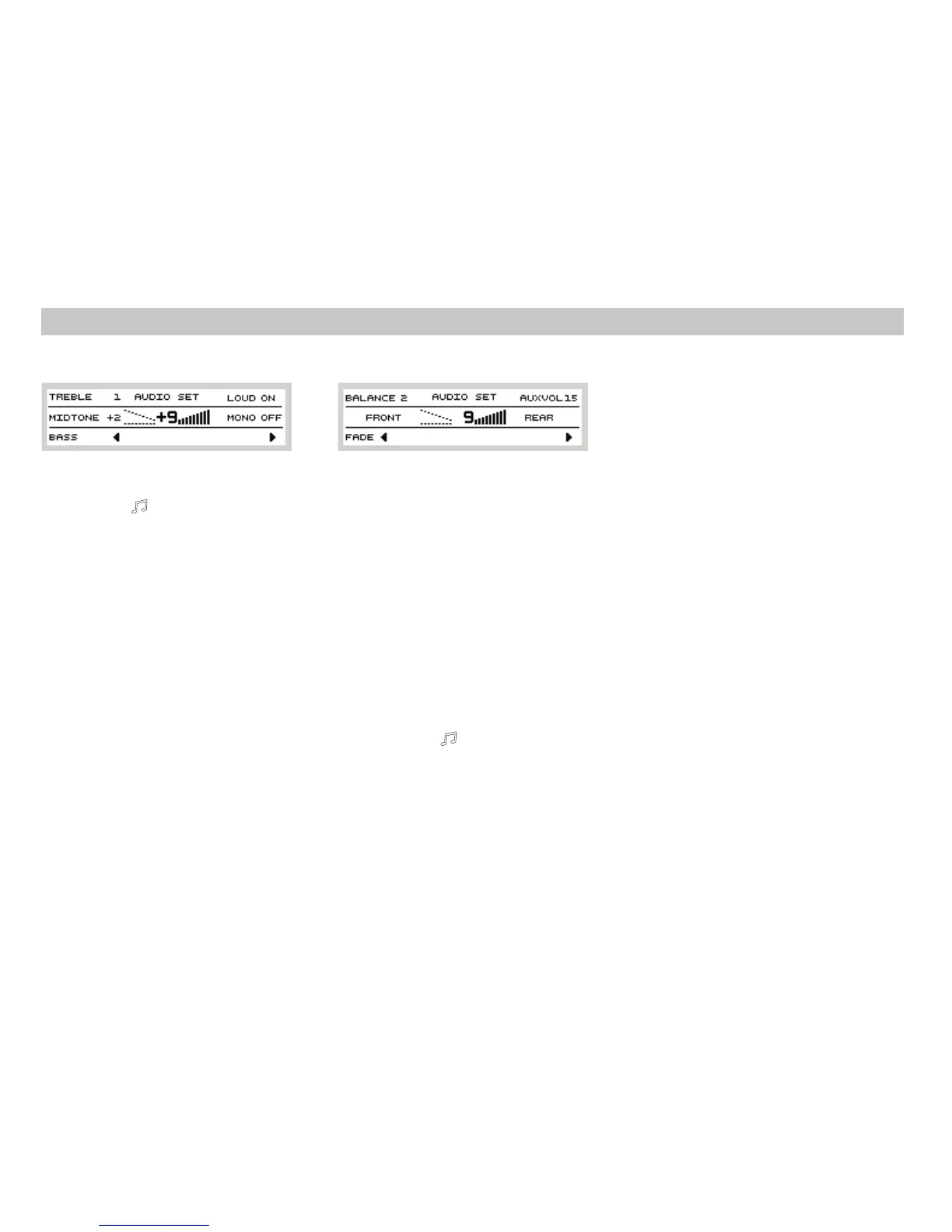
Settingtone
TREBLE
MIDTONE
BASS
Additionalaudioparameters
LOUD
LOUDNESS
LOUD ON
OFF
MONO
Pressbutton anduserpresetbutton to
select a parameter; an indicator will mark the
parameter and you can then set the value by
turningbutton .
treblesetting
midsetting
basssetting
At lower volume, function boosts
the bass and treble. Pressing preset button
and selecting activates this function.
Selecting deactivatesit.
The stereo decoder is activated whenever the
input signal is strong enough. The decoder is
switched off when the tuner receives weak
signal.
812
1
12
MONOOFF
MONOON
Secondlevelof AUDIOsettings
AUDIO
BALANCE
FADER
The stereo decoder is activated whenever the
inputsignal is strongenough.
Under certain circumstances, stereo sound is
interrupted and in low- quality, even if the
input signal is strong. This occurs for example
when driving in urban areas. You can turn off
the stereo decoder and listen to mono sound
withincreasedquality.
Passageto the nextlevel of settings
Bypushing the buttonand passing to the
second level of settings by the preset
button these settings areavailable:
Setting the balance between the right and the
leftspeakers.
Setting the balance between the front and the
rearspeakers.
4
4
8
12
AUDIO settings
User Settings













 To Next Page