MENUsettingbutton
MENU
MIX
MIX
OFF
TRACK
MIX
Press button in the CD playback
modeto display thefollowingpicture:
Playbackin randomorder.
Press preset button to set required
parameter:
playbackin normal order
playbackin randomorder
appears on the display when random
playbackis active.
By pushing the preset button you will
move to the second level, see chapter Special
features.
4
11
12
12
Operating of external CD changer*
Playback of discs Optional functions
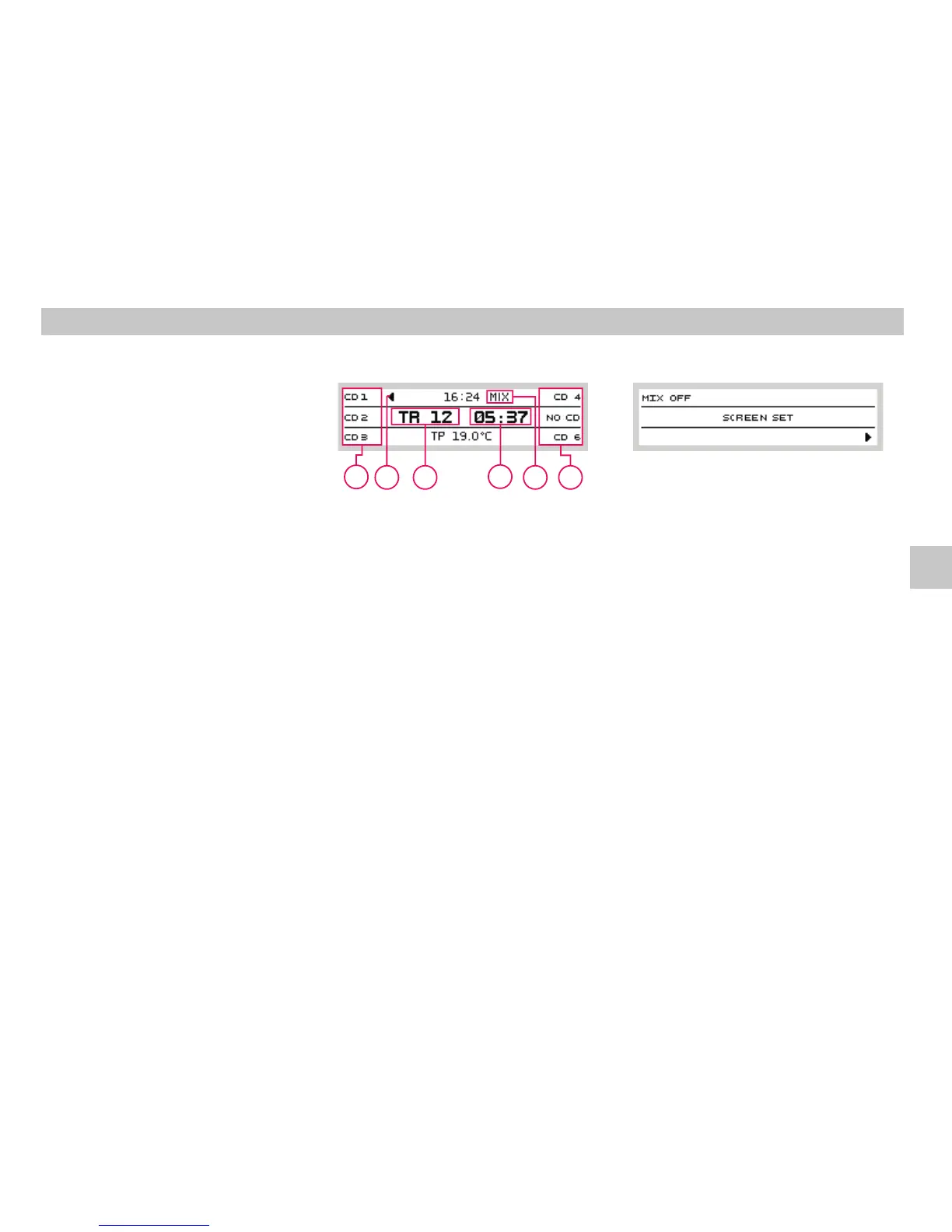
Displayinthe externalCDchangermode
MIX
A Currenttrack number
B Elapsed playtime indication
C Area reserved for preset buttons 12; press
a button to select the disc to be played
back
D Currentlyplayeddisc indication
E Icon - mode active; See chapter
Optionalfunctions in theCD mode
Your radio offers comfortable control of
original originálního CD changer, if your car is
fitted with one (optional extra). The operation
of the changer is described in a separate
instructionmanual.
Press button while operating the builtin
CD player to operate external CD changer, if
your car is fitted with one. Press the button
again to play a CD in the built- in player. If no
CD changer is connected, appears on
thedisplay.
When playing a CD from the external changer,
press preset buttons to select the disc for
playback. After selection, the CD is played.
When position with no CD inserted is selected,
appearsonthe display.
CDplaybackmode activationbutton
CD
NO CDC
Presetbuttons
NOCD
2
12
11
A
D
B
E
C
C
GB













 To Next Page