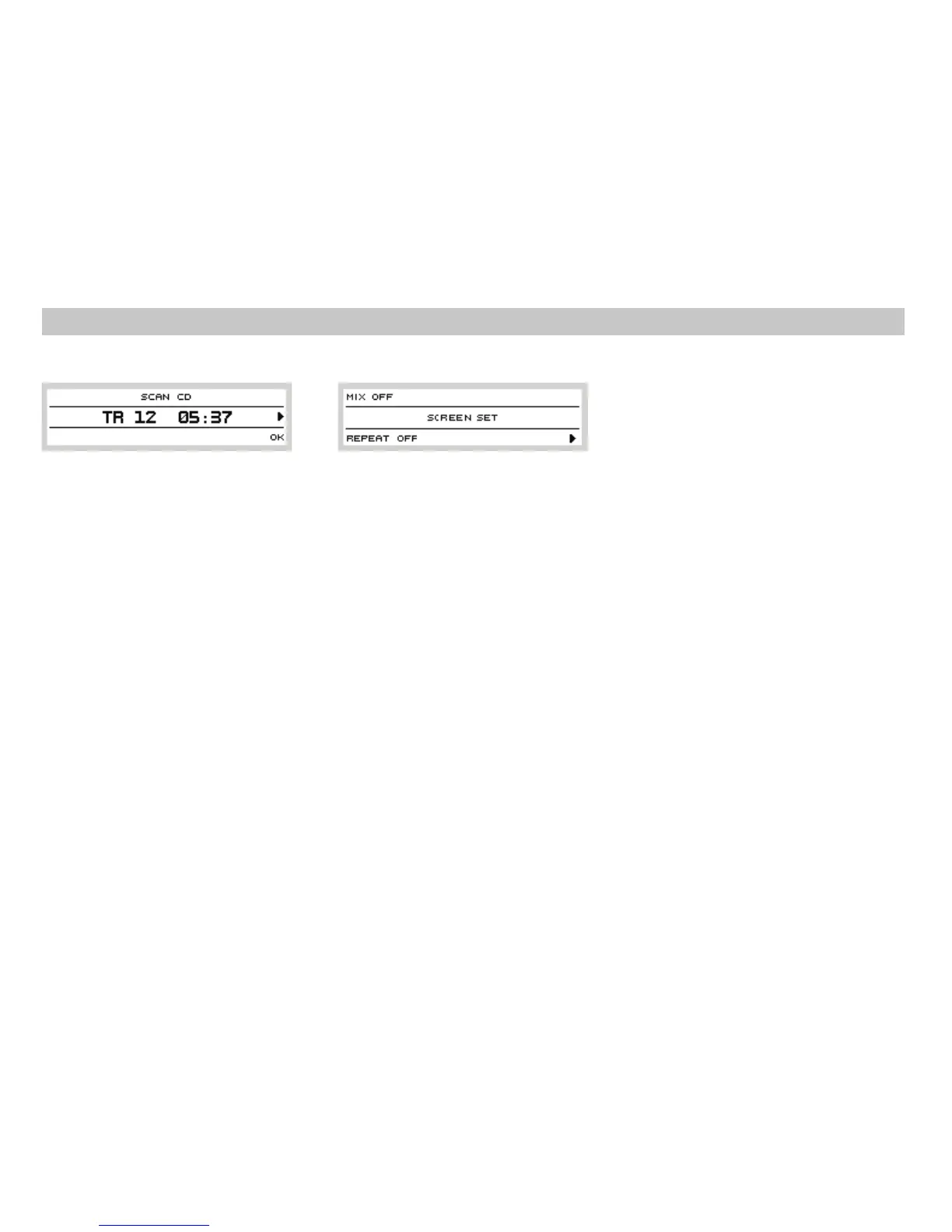
SCAN function
SCAN
OK
Stoppingplayback
FM AM
Trackselectbuttons
Pressbutton to start searching through
the disc. A 10- second sample of the beginning
of each track is played. The sequence number
of the track on the disc is displayed at the same
time.
Press preset button to end the scan
mode.Currenttrackwill beplayed normally.
To stop disc playback and to switch on the
radio,press button or .
Thelast selectedstation willplay.
During CD playback, press button to skip
toprevioustrack.
Pressbutton toskip to next track. Playback
starts fromthe beginning of selected track.
3
4
5
12
39
6
6
Seekbuttons
Discejectionbutton (EJECT)
EJECT
NOCD
Pressand holdbutton or forfastrewind
or fast forward within a track of the CD. Normal
playbackresumesafter you release thebutton.
Pressbutton to eject the disc. If disc is
currently being played, playback stops and
radio is switched on. If no disc is in the drive,
isdisplayed.
If you do not remove ejected disc from the unit,
it will be drawn back to the unit automatically
forsafetyreasons.
787
13
MENUsettingbutton
MENU
MIX
MIX
OFF
TRACK
MIX
REPEAT
REPEAT
OFF
TRACK
REPEAT
RPT
Press button in the CD playback
modeto display thefollowingpicture:
Playbackin randomorder.
Press preset button to set required
parameter:
playbackin normal order
playbackin randomorder
appears on the display when random
playbackis active.
Select repeat mode. Press preset button
toselect:
playbackin normal order
repeatedplaybackof currenttrack
When mode is active, top line of the
displayshows .
By pushing the preset button you will
move to the second level, see chapter Special
features.
4
11
12
12
12
Operating of CD player
Optional functions in the CD mode
10













 To Next Page