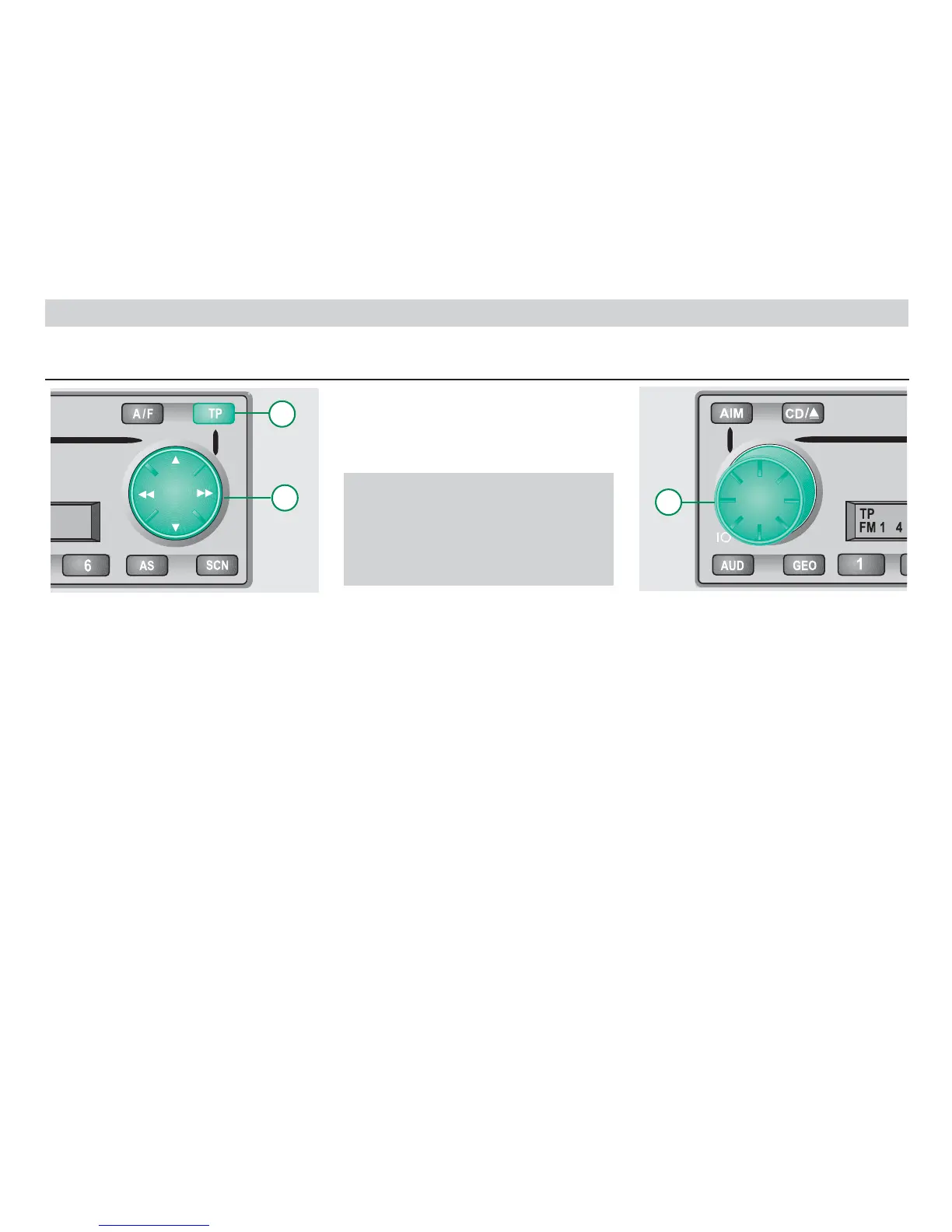
Set-up menu
By depressing the TP button for a few
moments, you can enter the set-up
menu. This is for special settings, as for
example operating the car radio in
connection with a telephone.
The individual menu points are selected
by pressing the TP button or the
rocker button , . Changes in
the menu points are registered
acoustically by a signal tone unless you
have turned this function off in the set-up
menu.
Alterations in the menu point are made
with the aid of the turning knob and
stored when changing to the next menu
point.
By depressing the TP button for a few
moments, you can leave the set-up menu
without saving the alteration in the last
menu point.
Caution:
Changes in the set-up menu affect
the general mode of operation of
your car radio and for safety rea-
sons should only be made when
the vehicle is stationary!!!
The following functions can be set in the
set-up menu:
• GALA speed-dependent
volume adjustment
• ON VOL maximum volume
when on
• LED Warning LED on/off
• BEEP Beep tone on/off
• AUTO REG Regional stations
on/off
• M/S Music / Speech
changeover
• PHONE IN utilisation of the tele-
phone entry
• PH VOL volume of telephone
call
• TA VOL minimum volume of
traffic announce-
ments
• CD SFL random playback for
CD changer
• KEY ignition key logic
• LOUD loudness off/on
• MONO compulsory mono
• LOCAL local/remote recep-
tion for search
12













 To Next Page