GB
Radio operation
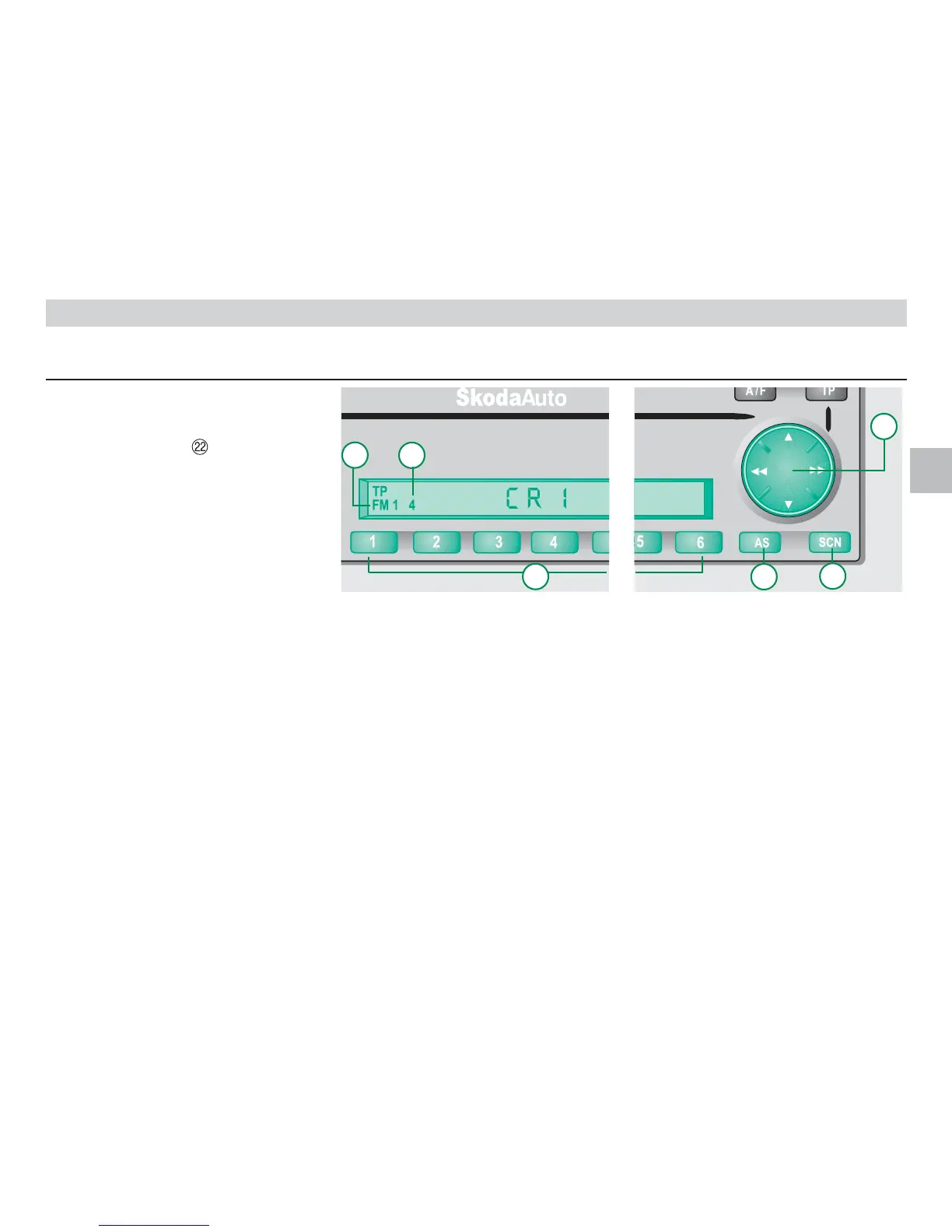
Program selection Storing
7
with the station button
• Press a station button briefly to set the
stored frequency. The selected station is
shown in the display .
Search
• Press the rocker button or
to start the search in the selected direc-
tion.
The appliance now seeks the next sta-
tion with reception in the set range, FM,
AM or TP. Only TP stations are set in
the TP range.
Manual tuning
• Press the rocker button
▲ or ▼ .
If the button is pressed briefly, the set
frequency is shown. If the button is
depressed for longer, the frequency of
the selected direction is changed accor-
dingly upwards or downwards until you
release the button again.
Scan
• By pressing the SCN button
, all sta-
tions in the range just set are played
briefly one after the other.
If the button is pressed again, this func-
tion ends and the current program
remains set.
Storing
A maximum of 30 programs can be set
with six station buttons in the respective
wavelength ranges:
AM1 + AM2 range =12 programs
FM1 + FM2 range =12 programs
TP range = 6 programs
Stored programs can be called up by
briefly pressing the respective station but-
ton.
Manual storing
• When the required station button
is
depressed for a few moments, the pro-
gram just set is stored in the respective
program location in the set range AM1,
AM2, FM1, FM2 or TP. If you have
activated "Beep” in the set-up menu, the
storing process is acoustically con-
firmed. This stored program can now be
called up again and again by pressing
the respective station button
.
Automatic storing
(only applies to the ranges FM2,
AM2, TP)
• By pressing the AS button
, the auto-
matic storing function is started. In this
process the six programs with the clear-
est reception in the selected ranges
FM2, TP or AM2 are automatically
stored. The function is indicated in the
display by STORE.













 To Next Page