Need help?
Do you have a question about the SKP Pro Audio MAX 310 and is the answer not in the manual?
Detailed instructions for safe operation and handling of the amplifier, including warnings and precautions.
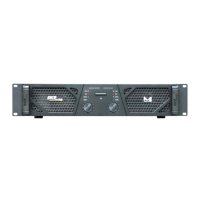
Description of the front panel controls including power switch, input level controls, and indicator lamps.
Explanation of the yellow indicator lamps for channel protection, indicating status like power-on, high temperature, or faults.
Description of the green LEDs that indicate normal amplified operation and the bridge mode LED.
Details on rear panel connectors including power input, output connectors, ground lift switch, and input connectors.
Information on the auto-limiter switch and its function to activate the internal limiter.
Table listing technical specifications for MAX 310, MAX 410X, and MAX 710X models.
 General
| Channels | 2 |
|---|---|
| Frequency Response | 20Hz - 20kHz |
| Input Impedance | 20k Ohms |
| Signal-to-Noise Ratio | >100dB |
| Input Sensitivity | 0.775V |
| Damping Factor | >200 |
| Protection | Short circuit, thermal, overload |
| Dimensions | 483 x 88 x 380 mm |

 To Next Page