Mounting and removing the smartphone from the COMPIT
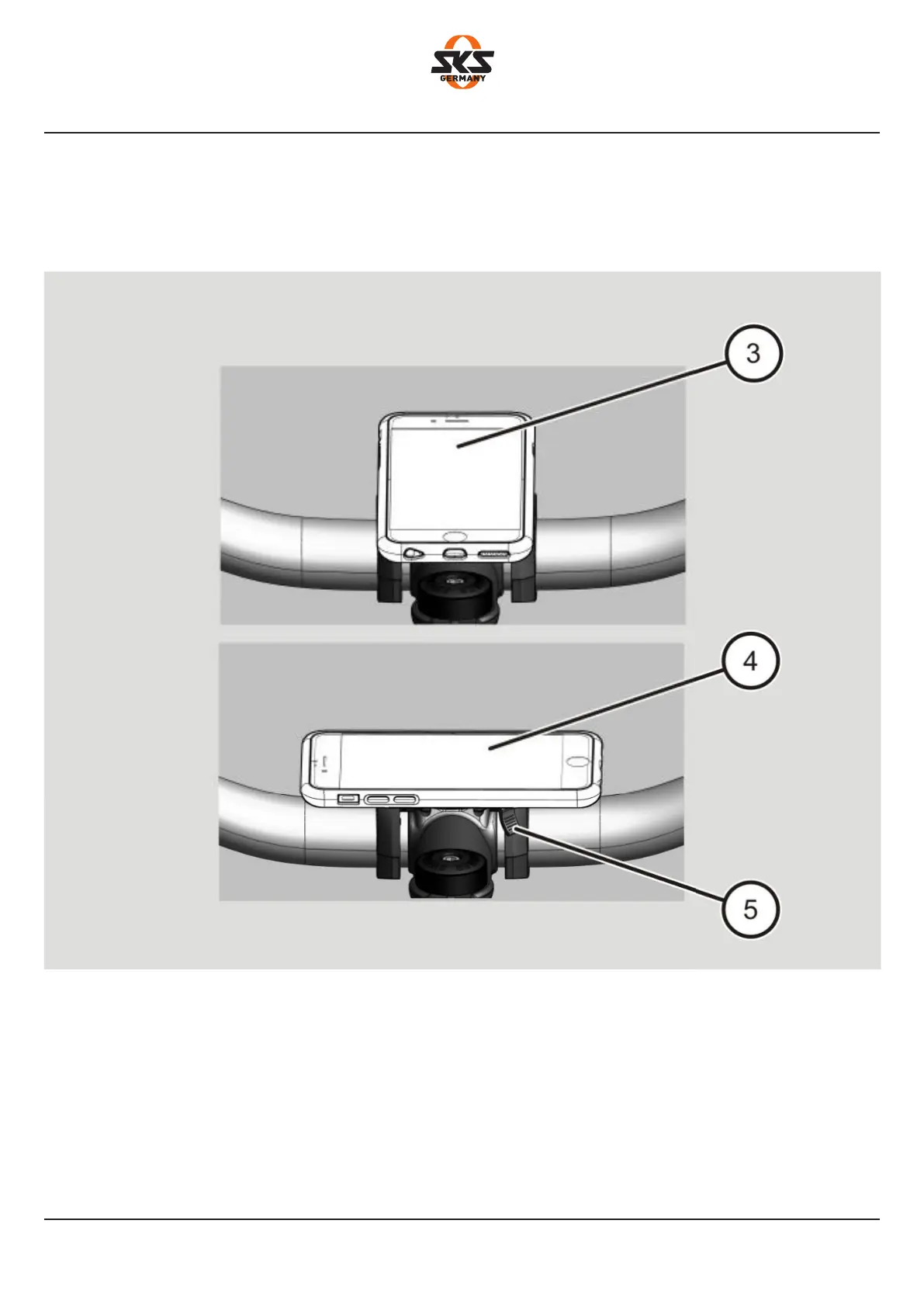
Your smartphone is mounted vertically (3) or horizontally (4) depending on how you turn it.
The safety lever (5) is locked.
Proceed as follows to remove your smartphone from the COMPIT:
➤Push the safety lever (5) downwards.
➤Remove your smartphone from the COMPIT by turning it (about 45°) away from the docking
station.
30


 To Next Page
 Loading...