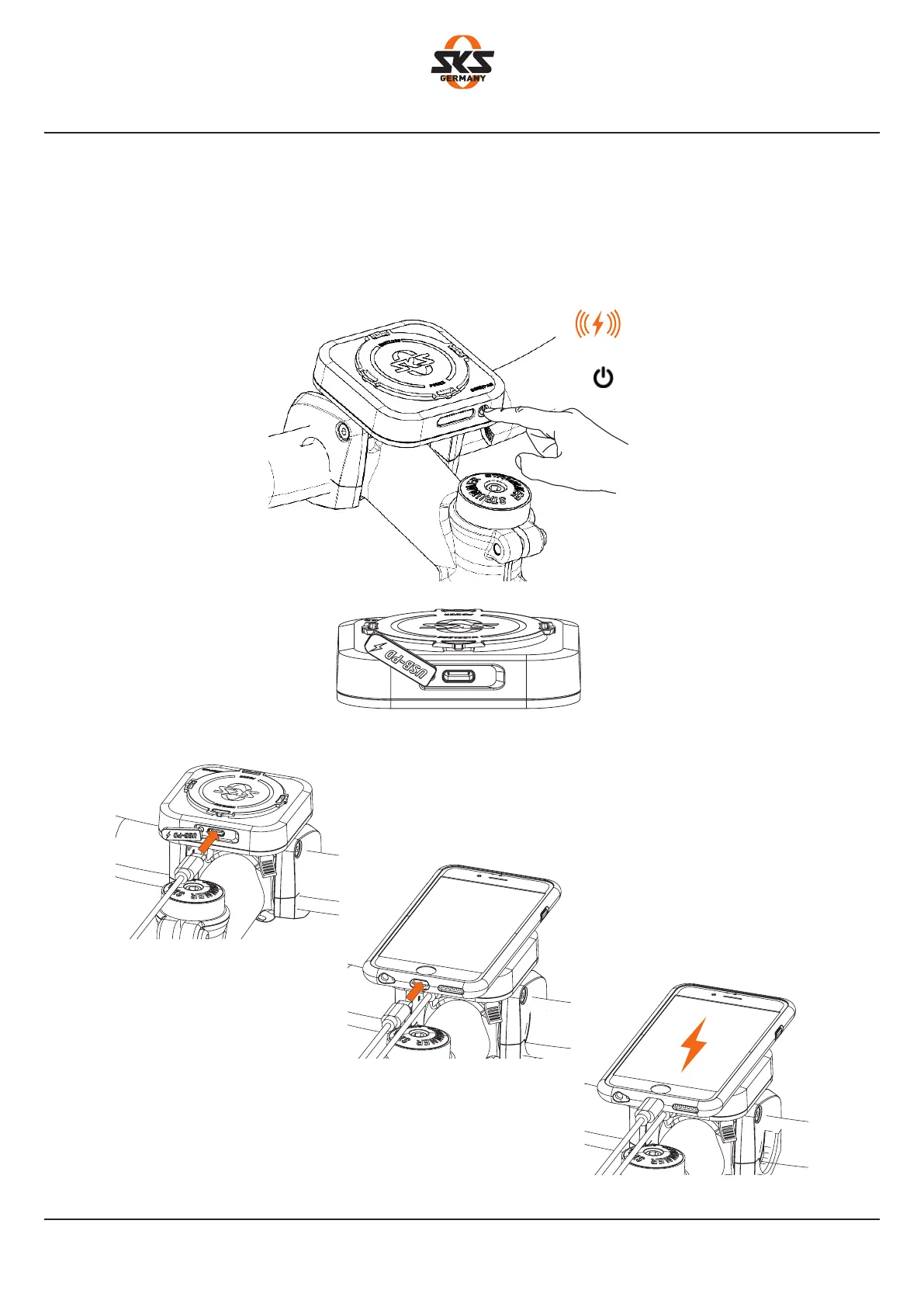
OFF
Touch 2 sec.
USB C-PD ON
5. Charge the mobile device with cable
1. Switch on the COM/PAD USB C PD output. LED indicator is off!
2. Connect the cable (not supplied) to the COM/PAD.
3. Attach the mobile device and lock it by turning it
4. Connect the cable (not supplied) to the mobile device.
The mobile device is charging.
Mounting the COM/PAD
35


 To Next Page