Part IV: Terrestrial Photography
13
Camera Cruising Function
The hand control can control a camera to take pictures at up
to 6 preset positions (a to f) using the SNAP interface of the
Star Discovery mount. The camera used for this application
should have an external shutter control port which can
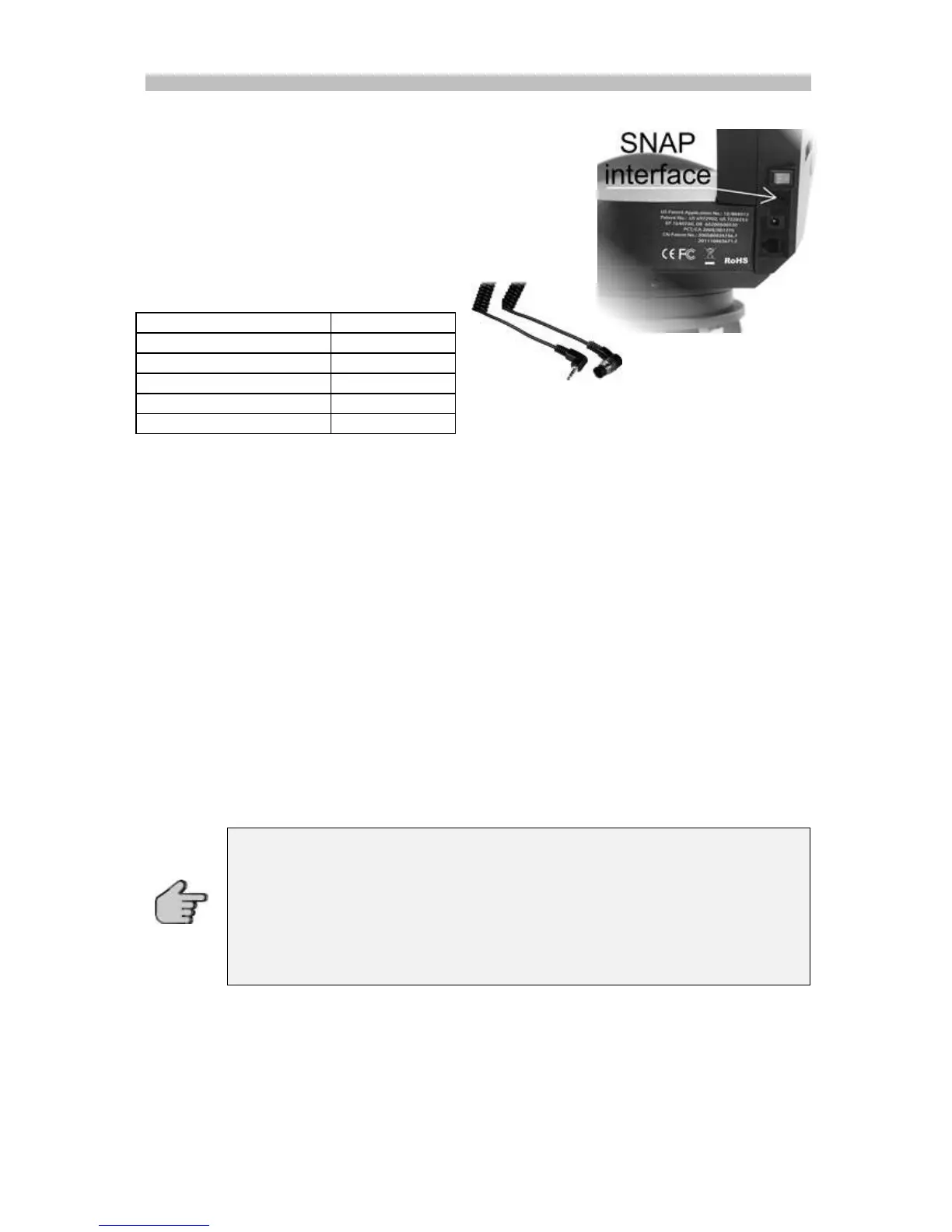
connect to the mount's SNAP port with a proper cable. The
SNAP port is a 2.5 mm 3-segment stereo jack and the trigger
signal connects to the tip and base segments.
You can order an optional cable for your
camera from your local reseller. The list shows
some available optional cables.
Before using the camera cruising function you have to select at least two preset positions as
explained in the previous chapter “Setting and retrieving preset positions”
Press one of the buttons 1-5 to choose a slewing speed, 1 is very slow, 5 is very fast. Slow
speeds are recommended with heavy loads, like a camera with a long focal-objective.
1. Press buttons (GO) and (SET) simultaneously to start the Camera Cruising. The
mount will slew to and stop at the pre-stored positions one by one from (a) to (f).
When the mount stops, it will send a signal to trigger the attached camera to take a
picture.
2. The mount will stop at the last position for about 1 minute before it re-starts the
cruising again. This function can be turn on/off by pressing (GO) buttons when the
mount is in Camera Cruising operation.
3. By default, when the mount stops at a pre-stored position, the active time of the
shutter triggering signal is 3 seconds. User can press button (a) to (f) and button
(DOWN) to change the time to 1, 2, 3, 4, 5, 7 and 10 seconds during the cruising. The
proper time depends on how long the camera takes to finish one exposure.
4. During the cruising, user can press the (SET) button to pause/resume.
5. Press buttons (DOWN) and (RIGHT) simultaneously to stop the cruising.
If one of (a) to (f) preset position is stored with the position which is the same
its previous one, then it will be skipped during the cruising. For example, if (b),
(c) and (d) are preset with the same position which is different from (a) and (e)
then the cruise sequence will be a->b->e positions while c and d positions are
skipped.
A position which is not set after turning on power will also be skipped during
cruising.



 To Next Page