Step 5
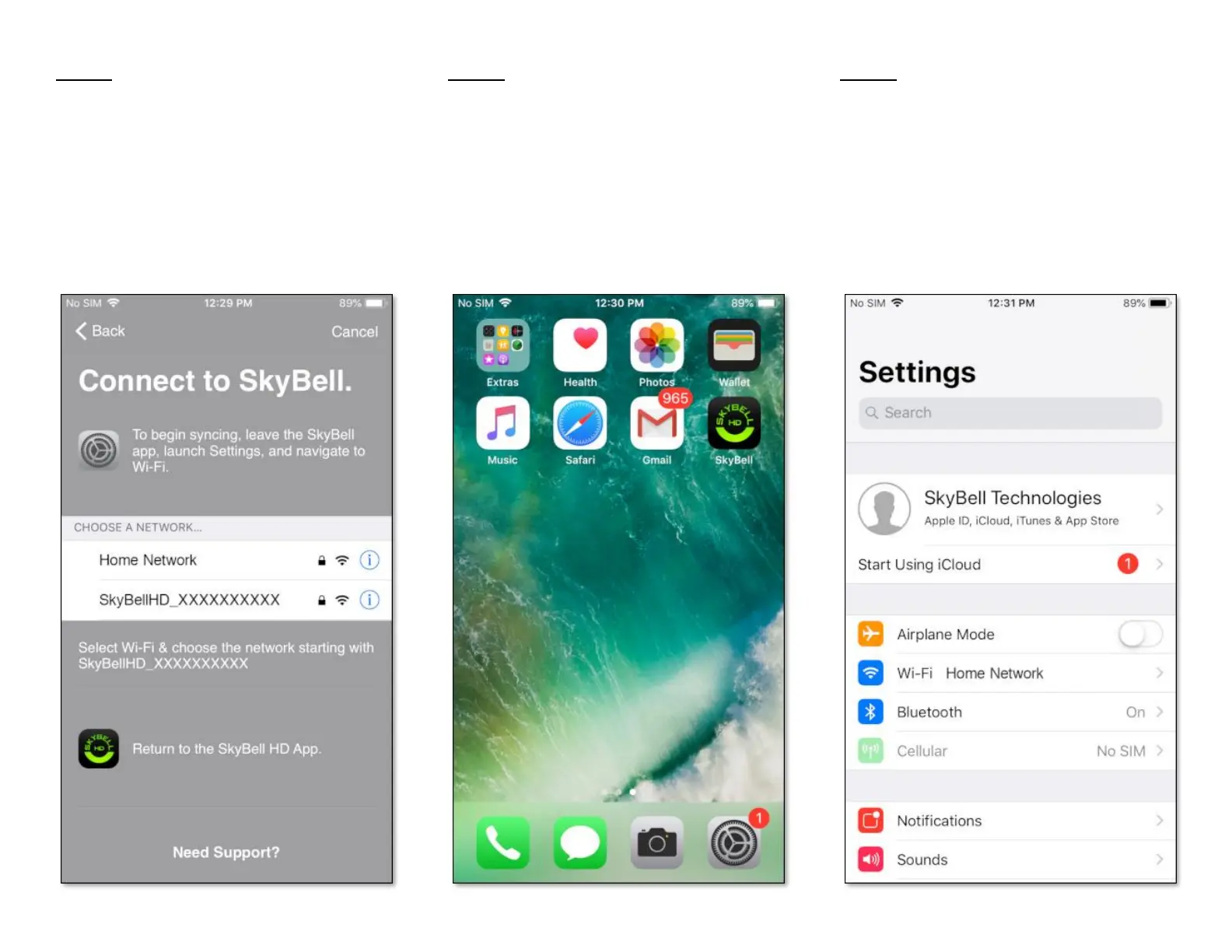
In Sync Mode the SkyBell device creates a
temporary ad-hoc Wi-Fi network. The SkyBell
app connects to this Wi-Fi network to configure
the SkyBell device. Connect to the SkyBell
device's Wi-Fi network by following these simple
steps:
• Press your smart device's Home button to
leave the SkyBell app.
Step 6
• Launch the device settings by tapping the
Settings icon.
Step 7
• Select the smart device's Wi-Fi network
settings by tapping the Wi-Fi network option
below the Airplane Mode option.


 To Next Page