Syncing the SkyBell (Android)
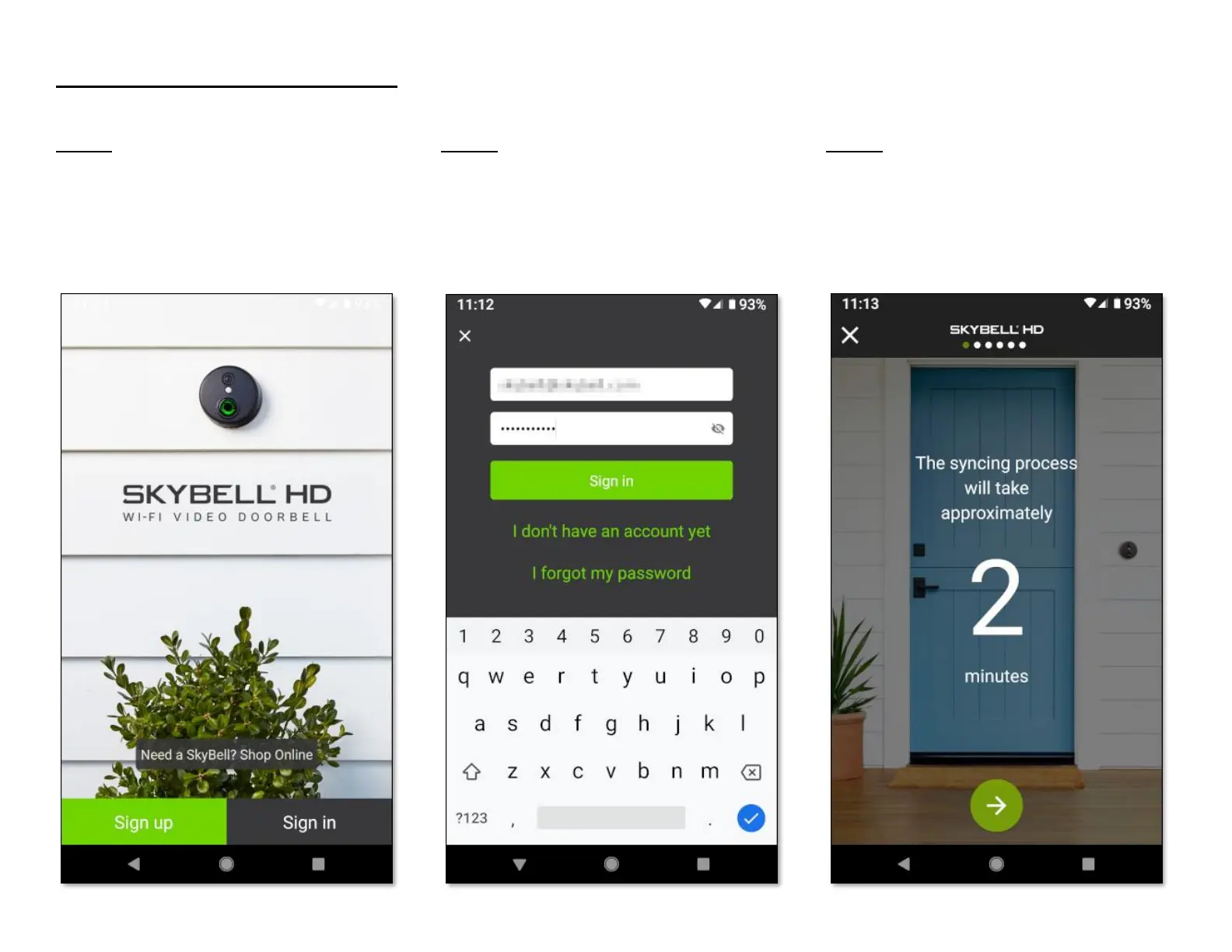
Step 1
• Open the SkyBell app from your smart device
home screen.
• Tap the Sign in button.
Step 2
• Enter your SkyBell account email address.
• Enter your SkyBell account password.
• Tap the Sign in button.
Step 3
If there is no SkyBell device attached to your account
(which is the case, if you have just created your
SkyBell account), you will see the following screen:
• Tap the Continue button at the bottom of the
screen.


 To Next Page