Step 14
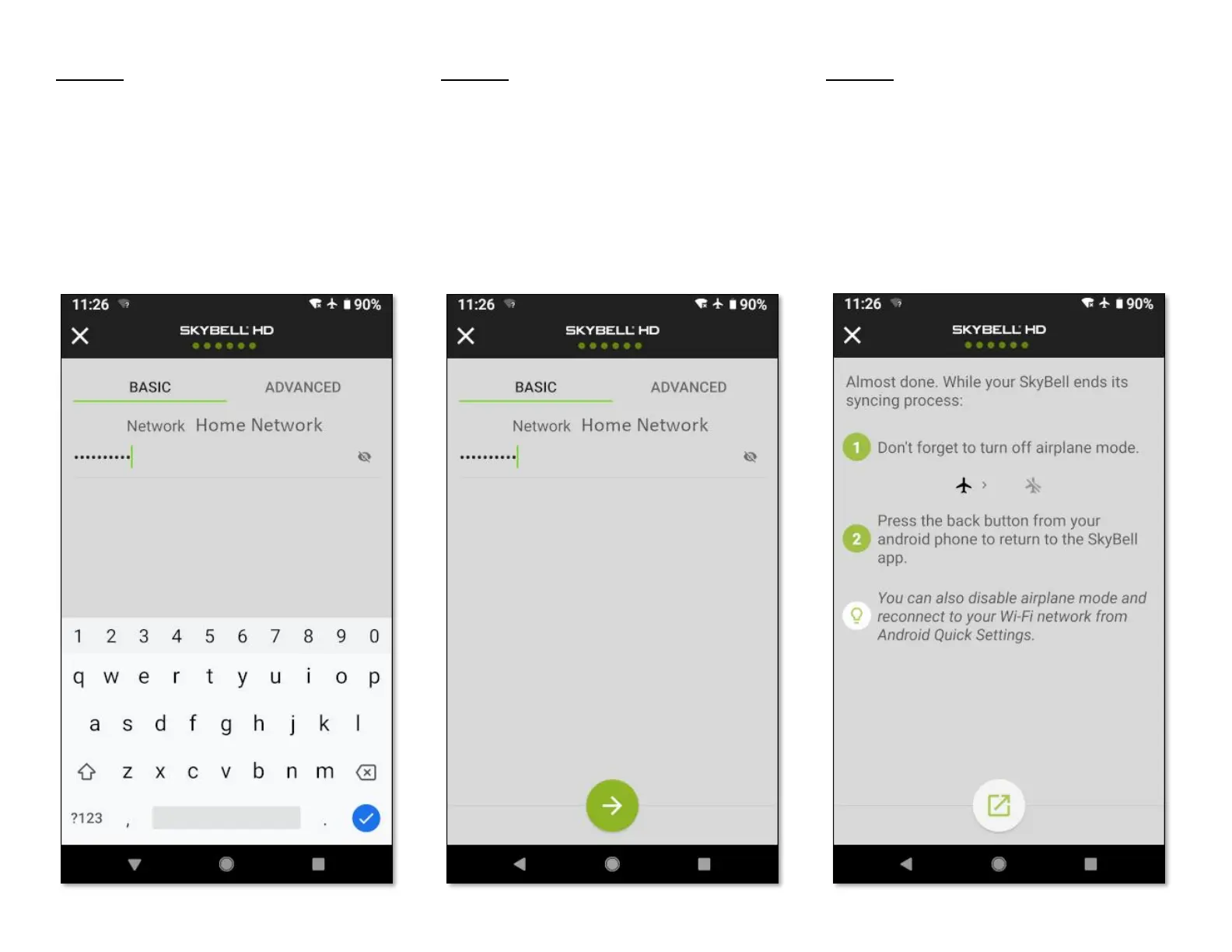
• Enter your home Wi-Fi network password,
allowing your SkyBell device to connect to
your home Wi-Fi network.
Step 15
• Tap the Continue button.
Step 16
You can now turn off Airplane mode to return
your smart device to its previous configuration.
• Again, navigate to your smart device's
Wireless & Networks Settings screen by
pressing the navigation icon button at the
bottom of the screen.


 To Next Page