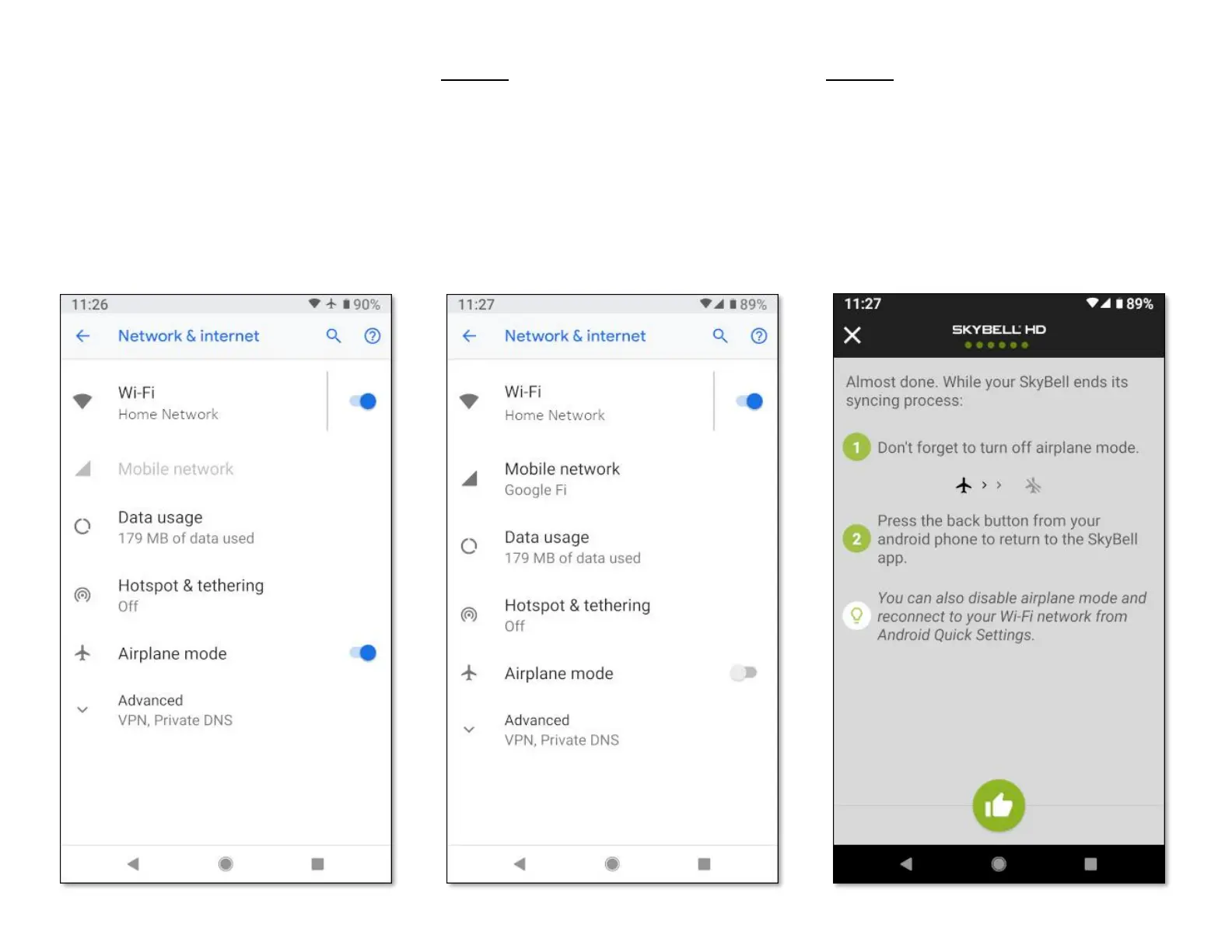
A similar screen to the one below will be
displayed.
Step 17
• Disable Airplane mode by tapping the toggle
control.
• Return to the SkyBell app by pressing the Back
button on your smart device.
Step 18
The screen below will be displayed.
• Tap the Thumbs Up icon button at the bottom
of the screen.


 To Next Page