SkyCaddie® TOUCH User Guide
©2015 SkyHawke Technologies, LLC. All Rights Reserved. v.1.1
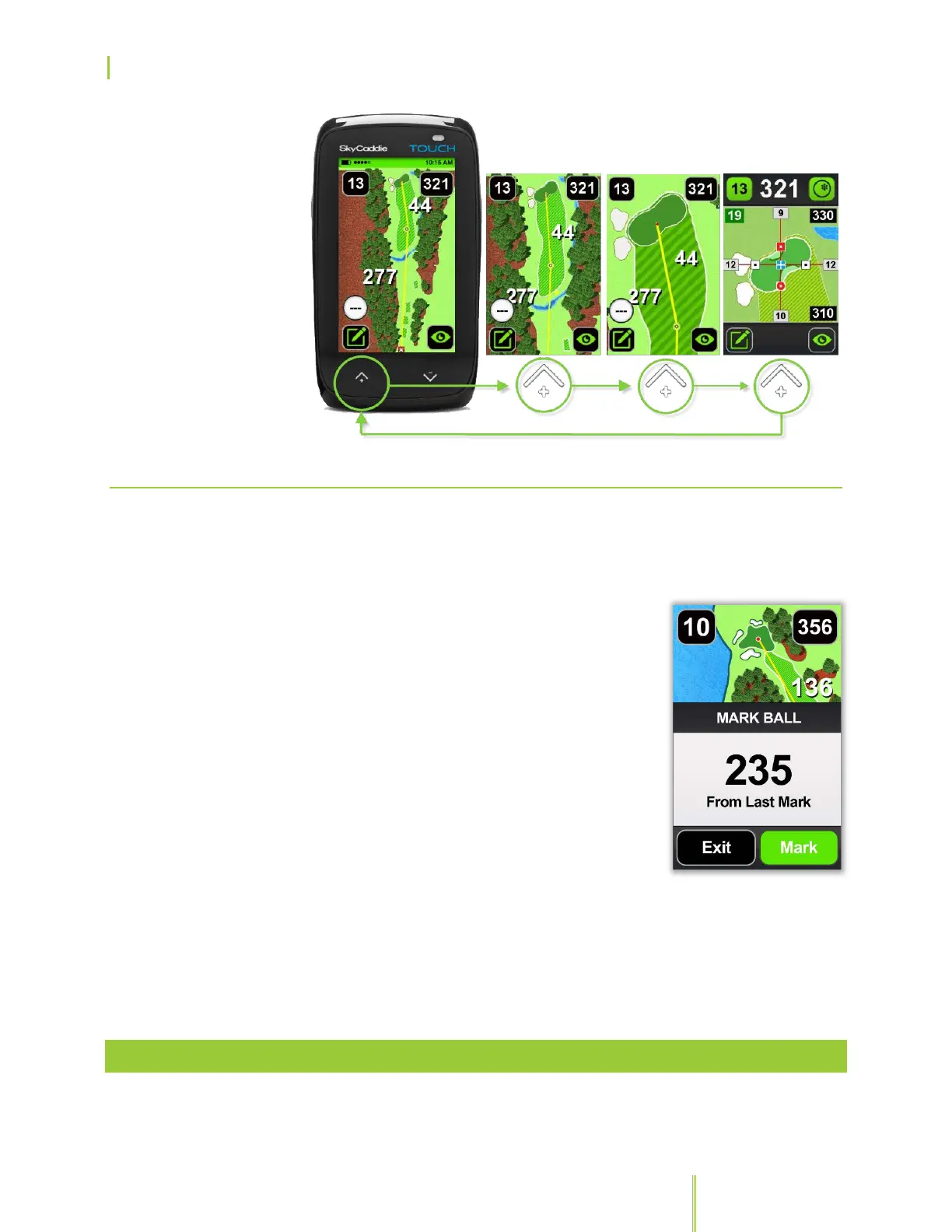
3.1.3 DETERMINING SHOT DISTANCE
You can use the TOUCH to store the distance of your drive and any
shot. To measure how far you’ve hit your ball:
1. Press the Mark Ball button before your
tee shot and the “Mark New Ball
Location?” pop-up screen will display.
2. Press on the “Mark” button to record
your current location. The TOUCH will
automatically close the pop-up menu.
3. When you get to the location where your
ball came to rest, press the Mark Ball
button again to record and the distance
from your last mark to your current
position will automatically update as you
advance down the fairway.
Be sure to press “Mark” in the confirmation screen. Your shot
distance will be displayed on the Mark Ball icon, unless you’re on the
IntelliGreen screen.
3.2 CHANGING GOLF VIEWS
When playing a course, you have the ability to cycle between
different views* manually, by pressing the “View” button:


 To Next Page