EasyManua.ls Logo

Skytec PRO-240 - User Manual

Skytec PRO-240
30 pages
Go to English
Print Icon
To Next Page IconTo Next Page
Loading...
skytec
Bedienungsanleitung
AMPLIFIER
PRO
..
240
PRO-480
PRO-600
PRO-1000
Question and Answer IconNeed help?

Do you have a question about the Skytec PRO-240 and is the answer not in the manual?

Summary

Installation Guide

Power Supply and Safety

Ensure correct electrical connection, undamaged cord, and switch off when unplugged.

Installation Environment and Ventilation

Install in a well-ventilated area, avoid direct sunlight, heat, dust, moisture, and ensure air circulation.

Audio Connections and Cable Handling

Make connections only when the appliance is switched off. Use good quality cables and handle with care.

Preventing Malfunctions

Avoid interference sources, manage ground loops, and connect components systematically to diagnose issues.

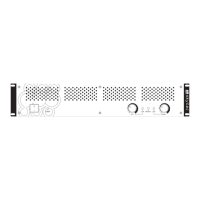
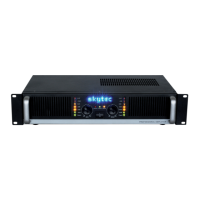
Front Panel Controls

ON;OFF Switch and Operation LED

The LED illuminates when the amplifier is powered on.

Input Attenuation (Damper)

Adjusts input signal level, from full attenuation to nominal level.

LED Display

Indicates the master output level of the amplifier.

Back Panel Connections

Line Input Connectors

Parallel wired 6.35mm jack or RCA connectors for connecting other devices or amplifiers.

Loudspeaker Output Terminals

Terminal connections and XLR for speakers. Use appropriate cables and impedance (min 4Ω).

Power Supply Connector

The main power input connector for the appliance.

Technical Specifications

Model Specifications Comparison

Comparison of output power, distortion, frequency range, signal-to-noise ratio, and input specifications across models.

Summary

Installation Guide

Power Supply and Safety

Ensure correct electrical connection, undamaged cord, and switch off when unplugged.

Installation Environment and Ventilation

Install in a well-ventilated area, avoid direct sunlight, heat, dust, moisture, and ensure air circulation.

Audio Connections and Cable Handling

Make connections only when the appliance is switched off. Use good quality cables and handle with care.

Preventing Malfunctions

Avoid interference sources, manage ground loops, and connect components systematically to diagnose issues.

Front Panel Controls

ON;OFF Switch and Operation LED

The LED illuminates when the amplifier is powered on.

Input Attenuation (Damper)

Adjusts input signal level, from full attenuation to nominal level.

LED Display

Indicates the master output level of the amplifier.

Back Panel Connections

Line Input Connectors

Parallel wired 6.35mm jack or RCA connectors for connecting other devices or amplifiers.

Loudspeaker Output Terminals

Terminal connections and XLR for speakers. Use appropriate cables and impedance (min 4Ω).

Power Supply Connector

The main power input connector for the appliance.

Technical Specifications

Model Specifications Comparison

Comparison of output power, distortion, frequency range, signal-to-noise ratio, and input specifications across models.

Skytec PRO-240 Specifications

General IconGeneral
Channels2
Impedance4-8 Ohms
Frequency Response20Hz - 20kHz
Total Harmonic Distortion (THD)< 0.5%
Signal-to-Noise Ratio> 98dB
Input Sensitivity775mV
Dimensions482 x 270 x 88 mm
Input Impedance10k Ohms
Power SupplyAC 220-240V, 50Hz

Related product manuals