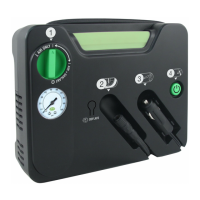
INFLATE TIRES
USING INFLATE RIGHT® TECHNOLOGY
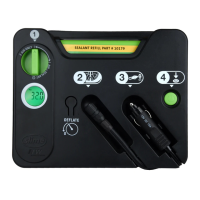
1. Press and hold ON/OFF button for two seconds to turn on display.
2. Press the + or - buttons to set the desired target pressure. The display will flash for 2-3
seconds and then will show the set target pressure value to which the tire will be inflated.
3. Push the ON/OFF button to start the inflator. When the tire pressure reaches the pre-set
value, the inflator will automatically stop inflation.
4. The ON/OFF switch can be used to override the present pressure value if required.
NOTE: The inflator display will automatically turn off after 2 minutes of inactivity.
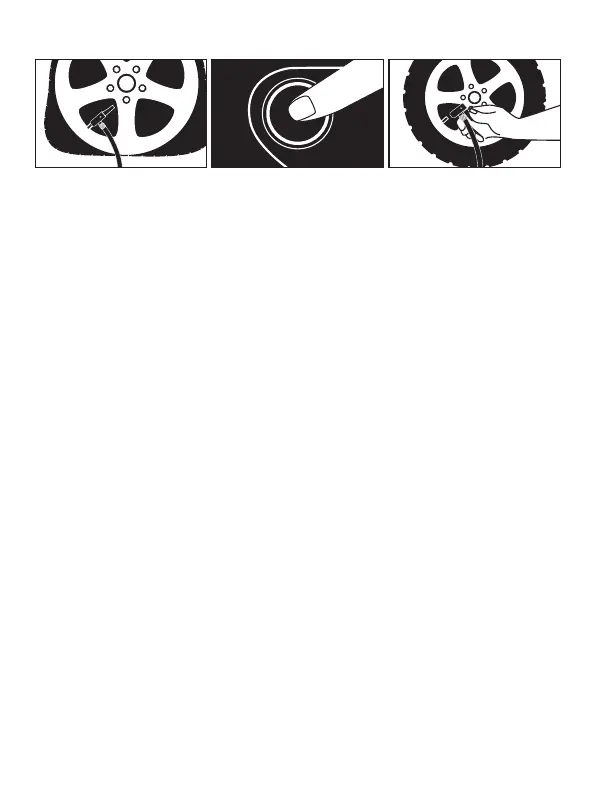
1. Attach quick connect air hose onto tire’s valve stem and pull lever up to lock.
2. Press and hold ON/OFF button for two seconds to turn on display.
3. Press ON/OFF button again to turn on inflator. Inflate tire to manufacturer’s recommended
air pressure.* When proper pressure is reached, press ON/OFF button to turn off inflator.
Remove air hose connector.
*NOTE: Correct tire pressure can be found in vehicle owner's manual or on driver's side door
jamb.
RECHARGING THE BATTERY
The battery will come with a minimal charge. It will be necessary to charge the battery prior
to initial use. Recharge after each use to prevent compromised battery life.
NOTE: It takes about 4 hours to fully charge your battery from a 2.1A USB outlet. The unit
should be charged every 4 months to keep the battery at peak performance. USB adapter
block not included. Any USB A phone or tablet block charger will work. Do not charge unit
via computer USB port.
BATTERY DISPOSAL: This product contains a rechargeable sealed lithium-ion battery.
The environmental laws in some areas require retailers to accept returns of rechargeable
batteries for proper disposal. Check the city/county/state/federal laws before disposing this
product.
USING THE LIGHT
1. To turn on the LED light, press and hold the ON/OFF button for two seconds to turn on
the display.
2. Press and hold the ON/OFF button again for 3 seconds to turn on the LED light. Repeat
this step to turn off the LED light.



 To Next Page