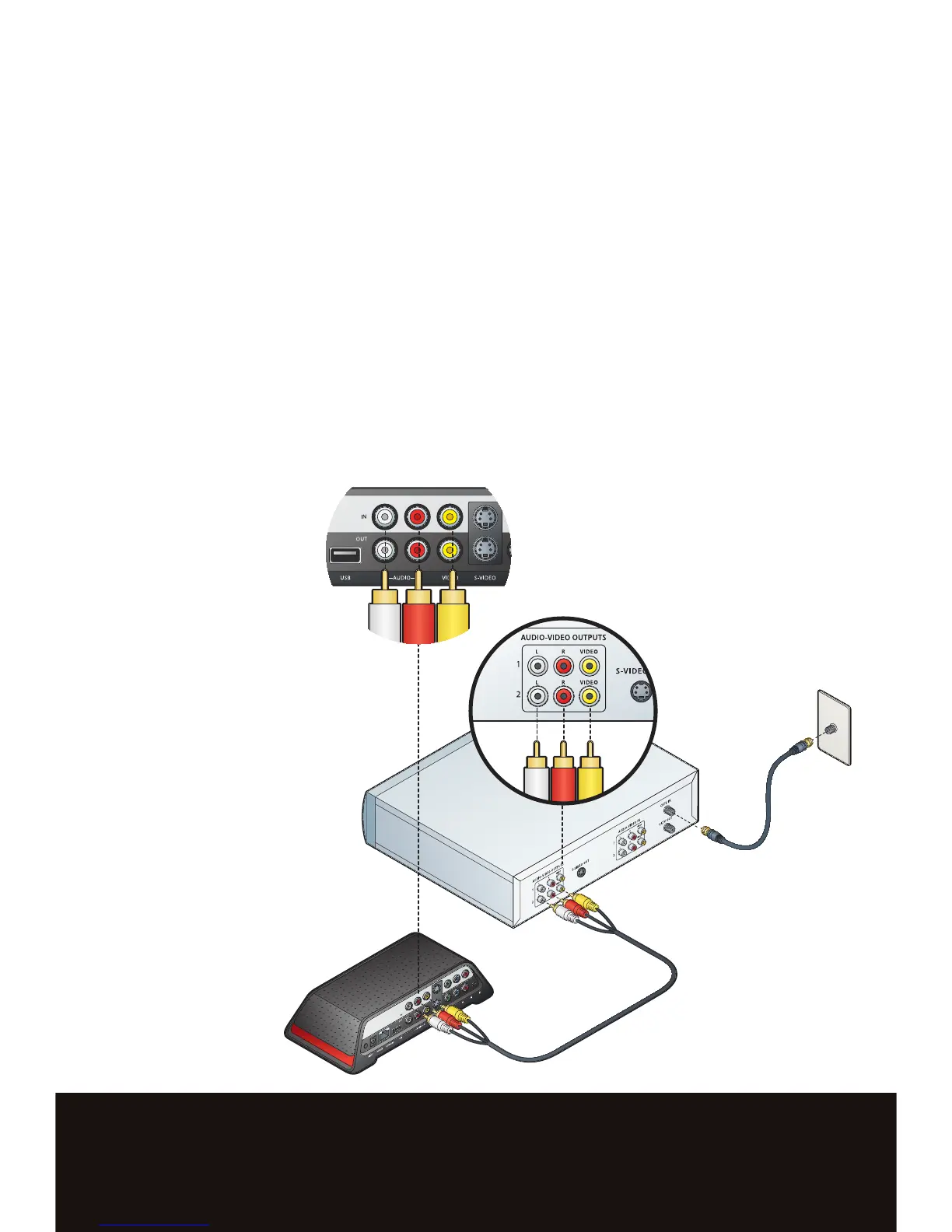
COMPOSITE and S-VIDEO CONNECTIONS
If your A/V source does not have component output, use composite or S-Video.
t To connect composite, remove the composite A/V cable from the accessories pack.
t Connect the composite A/V cable (white, red, yellow) from the A/V source output to the
Slingbox Composite IN.
t To connect S-Video, use an S-Video cable (sold separately).
t Connect the S-Video cable from the A/V source output to the Slingbox S-Video IN. This
supplies the video signal only.
t To connect audio, remove the composite A/V cable from your accessories pack.
tConnect the red and white composite connectors from the A/V source output to the
Slingbox Audio IN.


 To Next Page