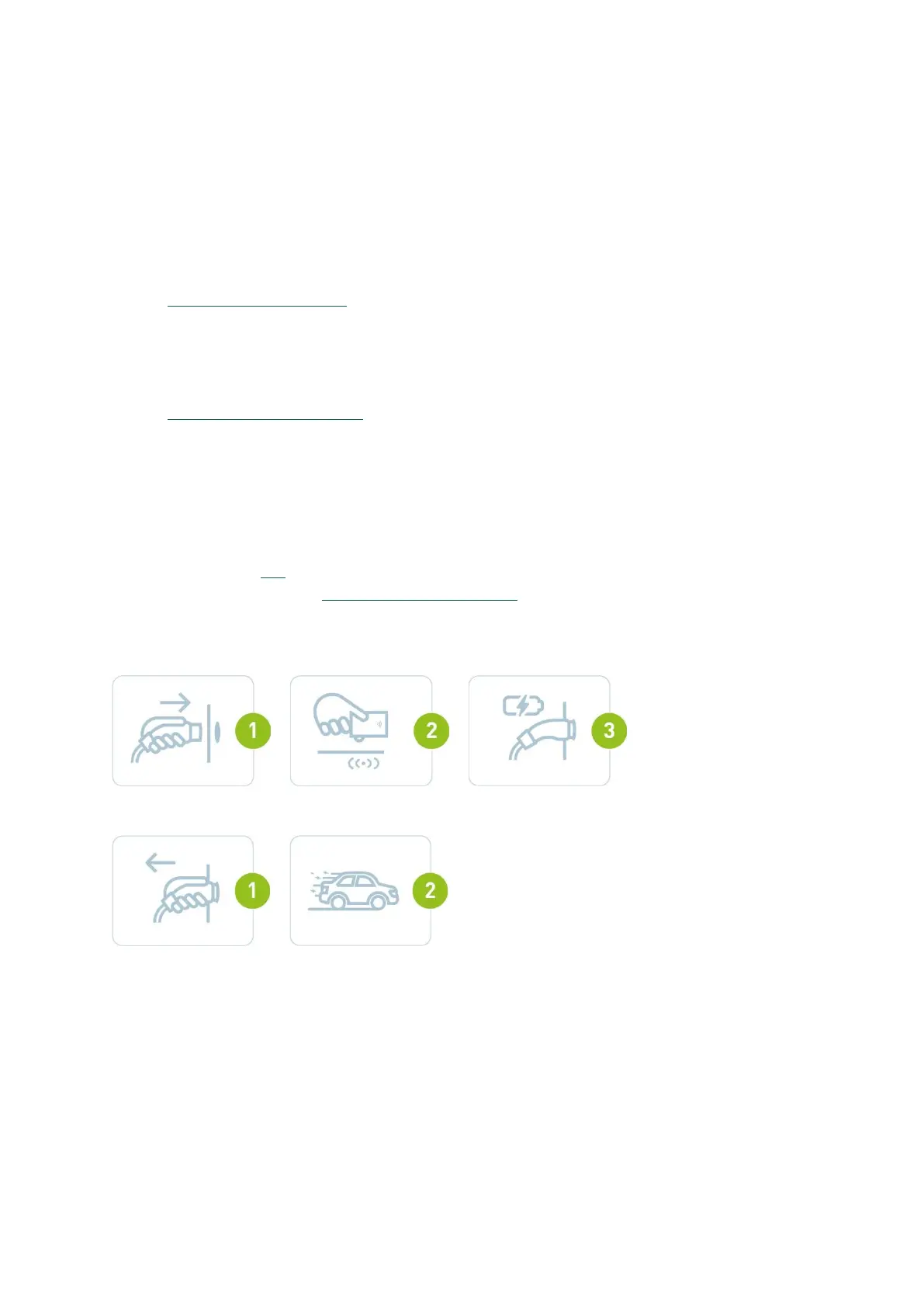
Swipe and charge
Charging sessions can be started using an RFID card. You can either use a Smappee Smart Charge
Card for free charging or (if activated) a third party eMSP card to pay for charging sessions.
• Whitelist: Once the charging cable is plugged-in, the user simply presents their RFID card /
token and the charging session begins. All authorized cards / tokens must first be added to
the whitelist using the 'Whitelisting' card on dashboard.smappee.net. See
support.smappee.com/hc > Smappee EV Line for more information.
• Public charging: Other EV drivers can use this charging station and pay with an RFID card /
token from a third-party eMSP. This can be done through Smappee's own CSMS or through a
third-party CSMS. In case you would like to use the Smappee CSMS, please contact
info@smappeeservices.com to activate this.
• Split Billing: This is aimed at employees who charge their company car at home and need to
be reimbursed for the electricity consumption. Split billing agreements must be made for
each employee. Starting a charging session is similar to whitelisting but at the end of each
month, Smappee Services will send a bill for all employees' charging sessions to the
company. All individual employees will be reimbursed according to the amount of kWh
charged. See this article for more information. In case you would like to use Smappee split
billing, please contact info@smappeeservices.com to activate this.
•
Start charging
Stop charging


 To Next Page