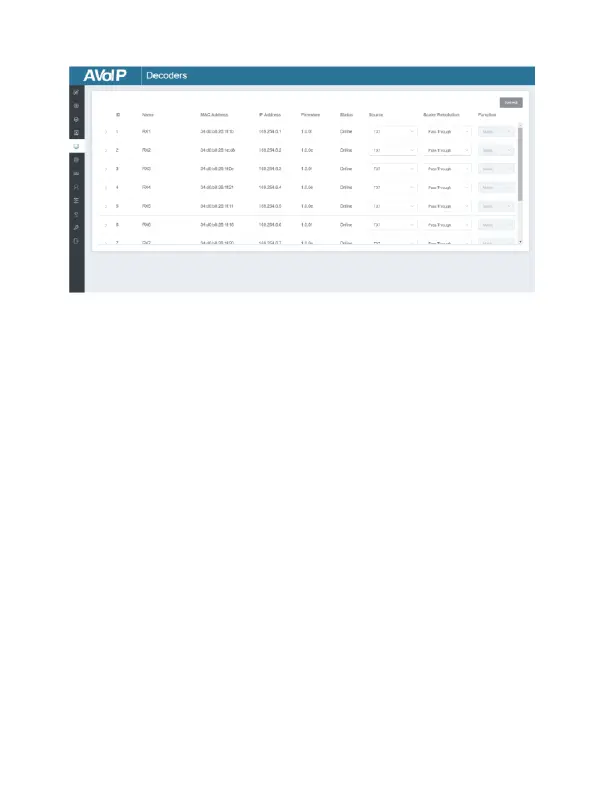
■ Decoders Page
① ID: The ID of the current device. (Note: ID is not duplicated.)
② Name: The name of the current device. (Note: Name is not duplicated.)
③ MAC Address: The MAC Address of the current device.
④ IP Address: The IP Address of the current device.
⑤ Firmware: The Firmware version No. of the current device.
⑥ Status: The status (online or offline) of the current device.
⑦ Source: The signal source (Encoder) of the current device.
⑧ Scaler Resolution: The resolution of the current device.
⑨ Function: The mode of the current device.
Operating Instructions:
(1) Click “Refresh” to refresh the data of the current Decoders.
(2) Click the drop-down list of Source to select the current Decoder‘s
signal source.
(3) Click the drop-down list of Scaler Resolution to select the current
Decoder‘s resolution.
(4) Click the drop-down list of Function to select the current Decoder‘s
mode. (5) Click the icon on the left of ID to check the detail information
about the current Decoder, as shown on next page:


 To Next Page