
 Need help?
Do you have a question about the Smart Life WT4R and is the answer not in the manual?
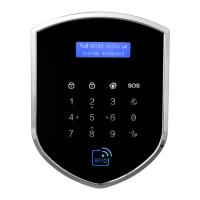
Details the host's display, microphone, and touch keypad areas.
Illustrates wired detector connections and electronic lock connections.
Guidelines for optimal placement of the host and sensors for best reception.
Steps for installing the SIM card and downloading the Smart Life mobile application.
Covers EZ mode (router connection) and AP mode (hotspot connection).
Process for pairing new wireless detectors, RFID cards, or wired sensors.
Modifying attributes like zone name, type, and armed status for accessories.
Managing the alarm system's states (Disarmed, Home armed, Away armed) via the app.
Configures delay times, alarm sound, and other operational parameters.
Schedules automatic arming and disarming of the alarm system.
Configures the doorbell function and assigns accessories to trigger it.
Explains interface indicators and how to enter system settings.
Adding, deleting, and managing remote controllers for the system.
Setting and modifying accessory types, zone alarm validity, and delay.
Pairing RFID cards and configuring alarm call numbers.
Configuring SMS numbers for various alarm and status notifications.
Recording custom voice prompts for alarm messages.
Configuring system time, scheduled arming/disarming, and wireless control.
Configuring operational/program passwords and alarm delay times.
Setting up zone tamper, siren, SMS, and AC power notifications.
Configuring tamper, siren, and SMS notifications for system events.
Explains Disarm, Away Arm, and Home Arm modes for security.
Controlling the system via phone calls and physical remote.
Utilizing the emergency SOS button and the host's dialing capability.
Reviewing alarm logs and checking system status remotely via SMS.
Restoring default passwords and performing system health checks.
Common issues and their solutions for network, alarm, and control problems.
Detailed technical specifications and parameters of the alarm host.
Guidelines for storing and transporting the device safely.
 General
| Power Supply | Battery |
|---|---|
| Device Type | Wireless |
| Connectivity | Wireless |
| Power Source | Battery |
| Operating Temperature | -10°C to 50°C |
| Compatibility | Smart Life App |

 To Next Page