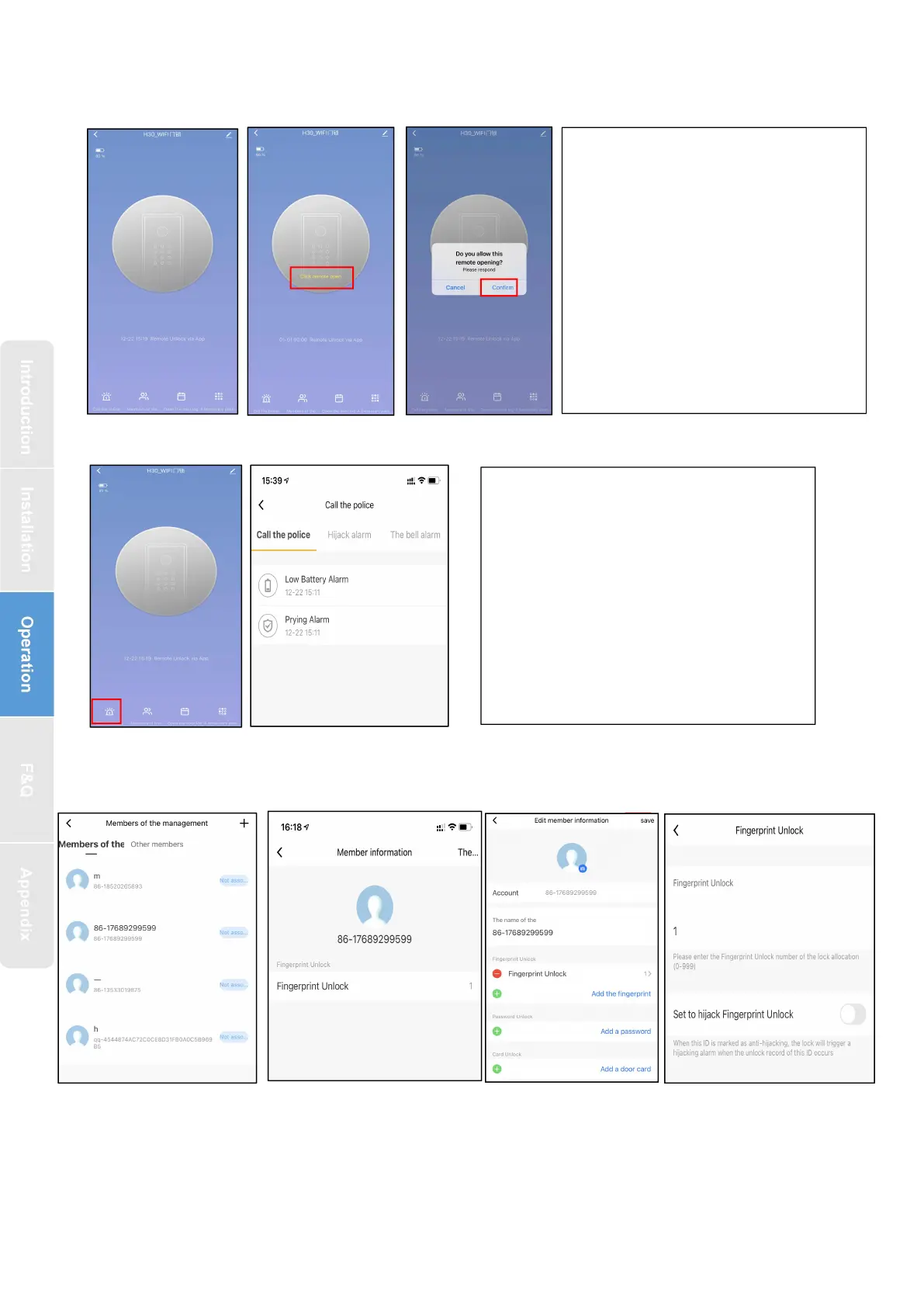
1.Click on the APP homepage
to enter the corresponding
door lock page
2.Door lock keyboard press
“ 4 ” + “ # ” Request remote lock
picking
3.The mobile APP will receive
the application information,
and click "Ok" to open the lock
Automatically report after an
alarm occurs. The report types
include: doorbell call,
tamper-proof alarm, low-voltage
alarm, normally open alarm, and
freeze when the number of
verification errors exceeds


 To Next Page