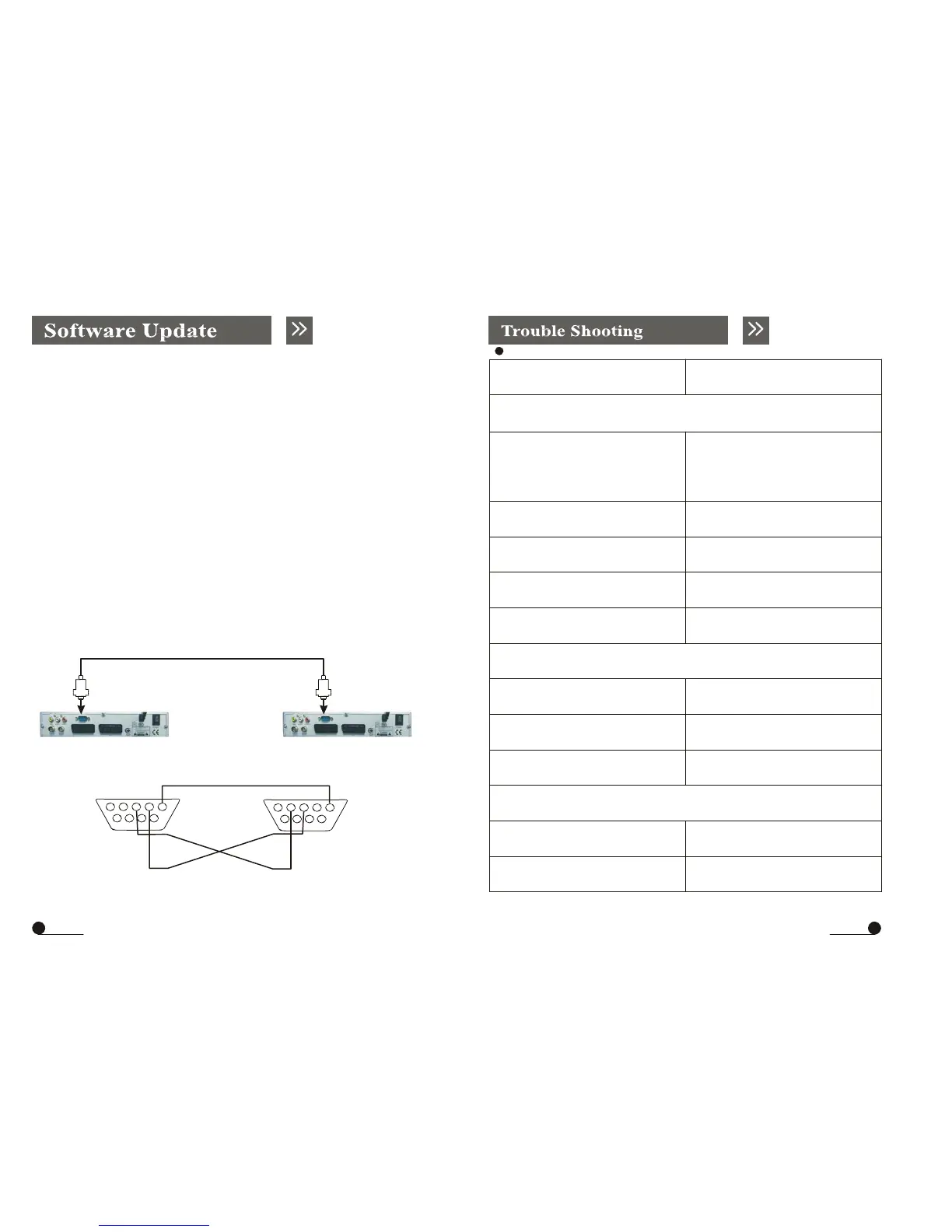
3. Update by Receiver
1.Set-to-set Software update with TV
1) Please connect Master receiver and Slave receiver with RS232 cable. Please
note that both master receiver and slave receiver must be turned off before the
connection with RS232 cable.
Trouble shooting
Possible Causes
Solution
No picture but on screen menus appear!
2) Power on Master receiver and enter into Config menu to display
system update, then turn on the slave receiver, after that the software will be
transferred from master receiver to slave receiver after detect. And after finished,
the slave receiver will re-boot itself, and be operation mode.
2. Set-to-set Software update without TV
1) Please connect Master receiver and Slave receiver with RS232 cable .
Please note that both master receiver and slave receiver must be turned off
before the connection with RS232 cable..
2) Please turn on the master receiver by clicking the power switch on the back
cover of the receiver.
3) Software updating begins, and wait till Slave Receiver re-boot itself and be
Terrestrial Antenna
system is
incorrectly installed.
Faulty Antenna
Incorrect TP data
High levels of signal loss through
cables
Check all connections and leads,
Replace Antenna
Re-input TP data
Use a signal booster or
replace cables
operation mode.
Faulty connection Repair connection
Remote control not working!
Batteries exhausted Check batteries
Incorrect function selected Press correct function key
Master Slave
RS-232 cable configuration
Remote control not pointed at
device
Make sure your remote control
is pointing on your device
123
45
678
9
2.RXD (Receive Data)
3.TXD (Transmit Data)
5.Ground
123
45
678
9
No stereo sound!
Incorrect cable connecting receiver
and TV
Check SCART cable
Incorrect volume value Check volume value
29 30



 To Next Page