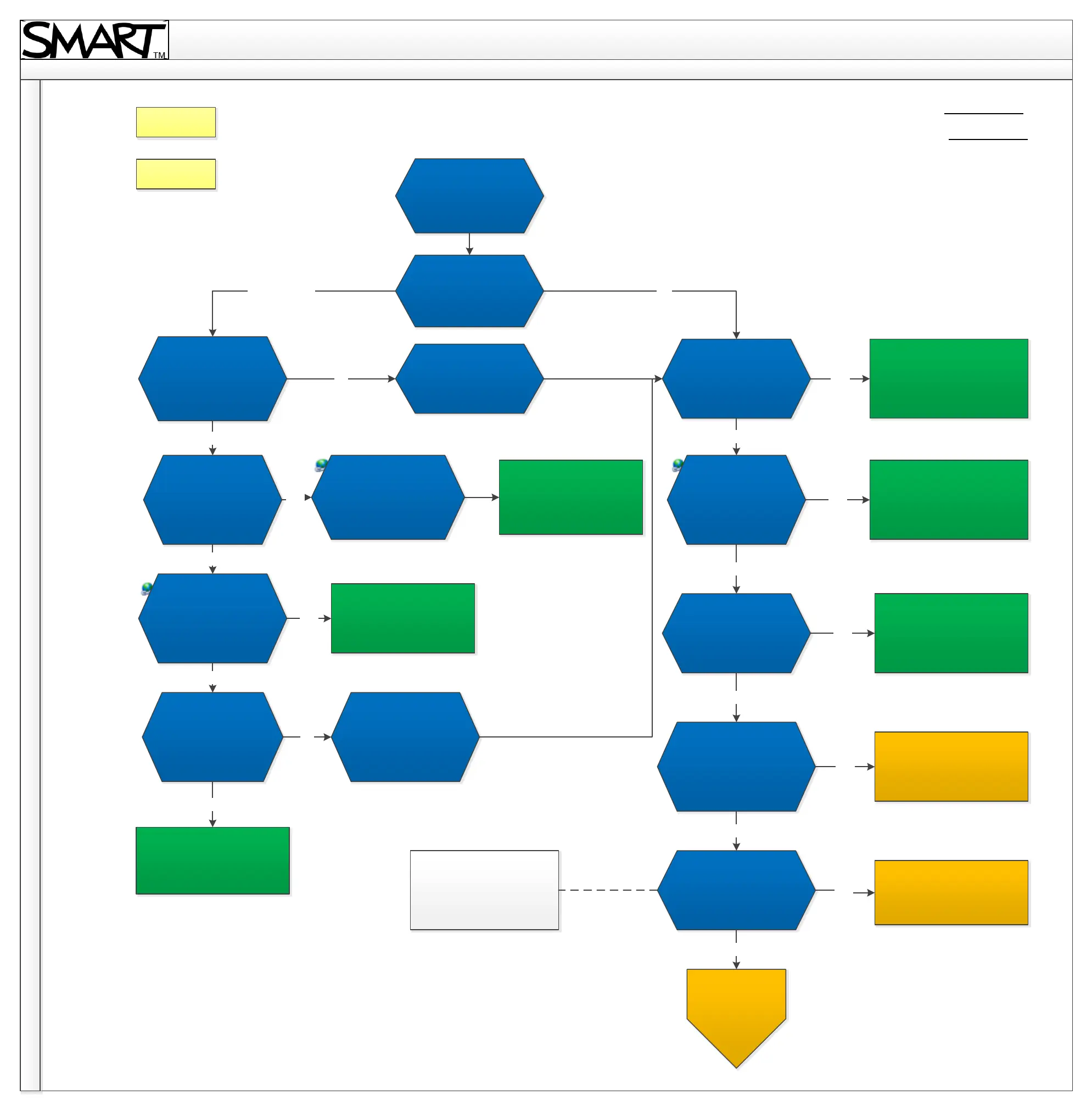
U100 Troubleshooting Diagram
6. Serial interface
Serial interface
Are you sending
commands from a
PC or a room control
system?
Connect a PC so you
can identify if an
error message is
generated.
Do you have a
console that shows
you responses?
Are you seeing any
responses?
Check the
connection
properties against
the manual. Is the
issue resolved?
Does another serial
cable work?
Bypass the room
control system and
follow the PC
troubleshooting.
Are you seeing any
responses?
Check your
connection
properties against
the manual. Is the
issue resolved?
Does another serial
cable work?
Power cycle the
projector, does it work?
Reset the projector to
its factory state. Is the
issue resolved?
Room Control PC
No
No
Yes
No
No
No
No
No
No
Incorrect connection details.
Issue resolved.
Yes
Yes
Yes
Yes
Yes
Yes
Yes
Yes
No
Back
Home
Ensure the use of the
correct RS232
commands as per the
user manual.
Incorrect RS232
commands. Issue resolved.
The cable was faulty.
Issue resolved.
Review the correct RS232
commands in the user manual.
Incorrect connection details.
Issue resolved.
The cable was faulty.
Issue resolved.
Monitor if the issue re-occurs.
If it does, contact SMART
Technical Support.
Monitor if the issue re-occurs.
If it does, contact SMART
Technical Support.
Factory reset can be
performed through service
menu. Service menu can be
accessed using navigation
keys in following order:
Down, up, up, left, up.
For further
assistance, contact
SMART Technical
Support.
Revision History
Contact Support



 To Next Page