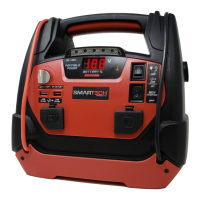
USER’S MANUAL PAGE 8JSL-1250
10. After the engine starts, immediately turn the switch to the OFF position
and remove the unit from the battery.
FLASHLIGHT
USB POWER
SUPPLY TO 12V DEVICES
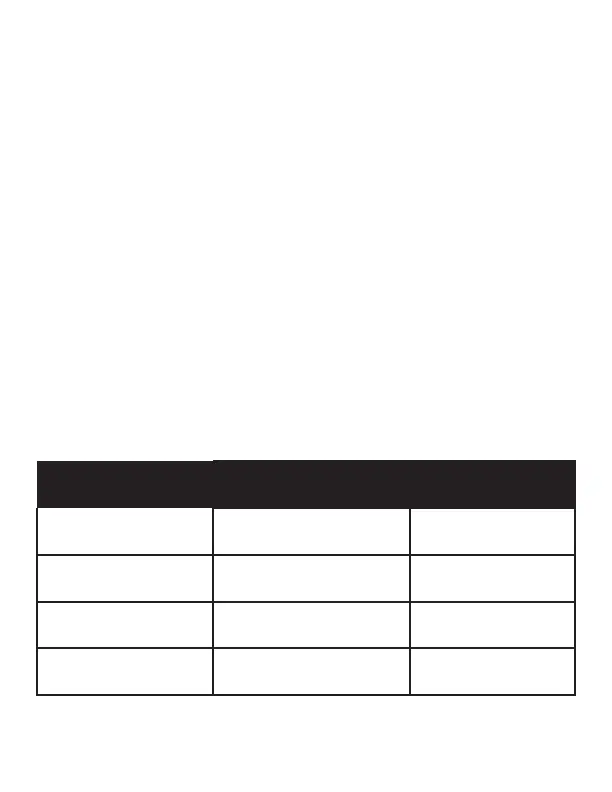
ESTIMATED RUN-TIMES
Press Flashlight + USB On/Off button upwards and the light will illuminate.
Plug the electronic device into one of the two USB ports on the front panel.
Press Flashlight + USB On/Off button downwards to start USB power.
This unit is a power source for all 12V DC devices that are equipped with a
12V accessory plug. Plug the device into the 12V DC power outlet on the
front panel. Turn on Jump start + 12V DC power switch to start 12V power,
and turn the 12V DC device on (if required).
CAUTION: Do NOT use the Portable Power to run appliances that draw
more than 15A DC. Extended operation of a 12V DC device may result in
excessive battery drain.
SUPPLY 12V
DEVICES
ESTIMATED
WATTAGE
ESTIMATED
RUN TIME
Cellular phones,
Fluorescent lights
4 watts 54 hrs
Radios, Fans,
Depth nders
9 watts 24 hrs
Camcorders, DVD
players, Spotlights
15 watts 14.4 hrs
Electrical tools, Bilge
pumps
24 watts 9 hrs
The following tests are performed when a fully charged product is
discharged to 9V


 To Next Page