USER’S MANUAL PAGE 30TECH-5000P
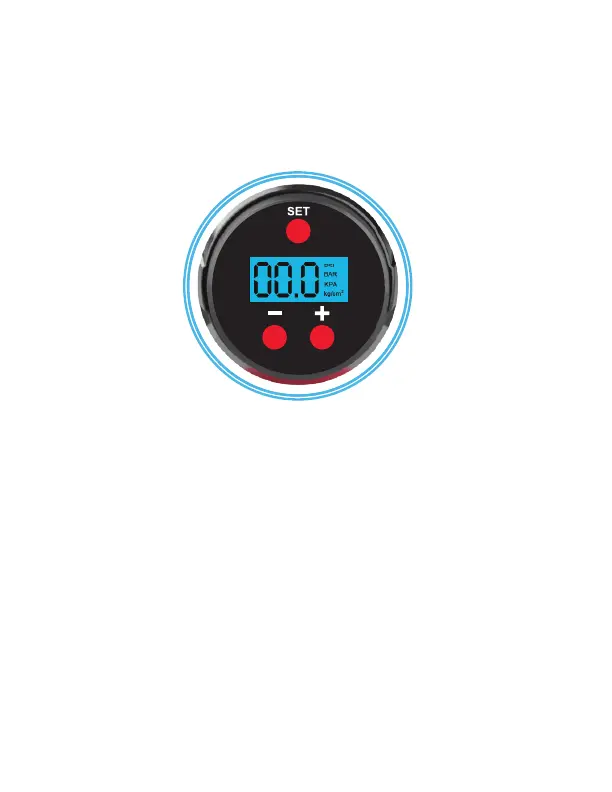
4. The manufacturer set pressure is 35 PSI and this air pump has
memory function. The gauge will indicate unites and value.
5. Press “SET” button to choose the desired unit (PSI, BAR, KPA,
kg/cm2). See Fig. 4.
Fig.4
6. Press “-” or “+” button to choose the desired value. Press and
hold “-” or “+” button will accelerate numerical change. After
screen ashes three times, the screen will show “0” and the
system will enter the chosen unit.
7. Press the air pump’s Power Button to start and hold this button
for continuous working. And the built-in LED light is lit during
ination.
8. If ination time is not short, you can turn the Lock/Unlock
switch upwards to lock while the Power button is pressed. In
this way, the ination continues without pressing any button.
To stop the ination, simply turn the Lock/Unlock switch
downwards to unlock.


 To Next Page