
 Need help?
Do you have a question about the SmartFLeX SF500 and is the answer not in the manual?
Smart Flex emphasizes product dependability and safety, urging users to follow manual instructions.
Key safety instructions for operating and using the adjustable bed to prevent injury or damage.
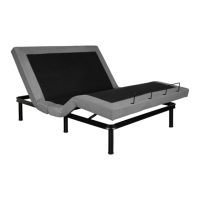
An overview and identification of the various parts that constitute the SF500 adjustable bed.
Visual labeling of major parts like motors, adapters, lighting, and legs on the bed base.
Secures the mattress, preventing movement or detachment during bed operation.
Describes the SF500 remote and its requirement for 3 AAA batteries.
Details the modular leg design allowing for customizable bed height adjustments.
Explains the power adapter's role and its battery backup compartment for power outages.
Remove the bed from packaging, lay it flat, and remove plastic wrap.
Unfold the base, exposing parts, and cut zip ties for remote, legs, and guards.
Remove the remote, legs, and mattress guards from their individual packaging.
Instructions for attaching legs, adjusting center legs, and securing mattress guards.
Explanation of buttons for head/foot movement, zero G, flat, TV positions, and massage features.
How to activate and turn off the massage timer for 10, 20, or 30 minutes.
Instructions for turning the under-bed lighting on and off.
Guide on how to set and save preferred head and foot positions into memory.
Steps to put the SF500 control box into pairing mode via the Link Button.
Procedure to activate pairing mode on the SF500 remote control.
How to verify successful remote and control box pairing by testing functions.
Instructions for connecting two Twin XL beds into a Split King using the sync cable.
How to connect the sync cable to the Syncro CNTL port on each SF500 control box.
Verify that the two beds function together as a single king-size bed.
Adds 3" of height to each leg of the base by attaching an additional segment.
Allows the adjustable base to connect to a panel headboard using specific brackets.
Enables smartphone/tablet control of the adjustable base via a recommended App.
Connects two Twin XL bases together to ensure they stay closely connected as a Split King.
Guidance on checking cord connections, power adapter, and outlets for power issues.
Troubleshooting steps for unresponsive remote, including battery check and re-pairing.
Diagnosing power adapter problems, including battery backup functionality and LED indicators.
Steps to resolve issues with massage or lift motors not responding.
Procedure for making a claim, including contacting customer service and required documentation.
Details on non-transferability, duration for parts, labor, and frame, and warranty exclusions.
Information on downloading and using the Okin Comfort Bed App for smartphone control.
Specifications for bed height and dimensions across different sizes (Twin XL, Full, Queen, King).
Details the FCC rules regarding radio frequency compliance for the wireless remote.
 General
| Brand | SmartFLeX |
|---|---|
| Model | SF500 |
| Category | Indoor Furnishing |
| Language | English |

 To Next Page