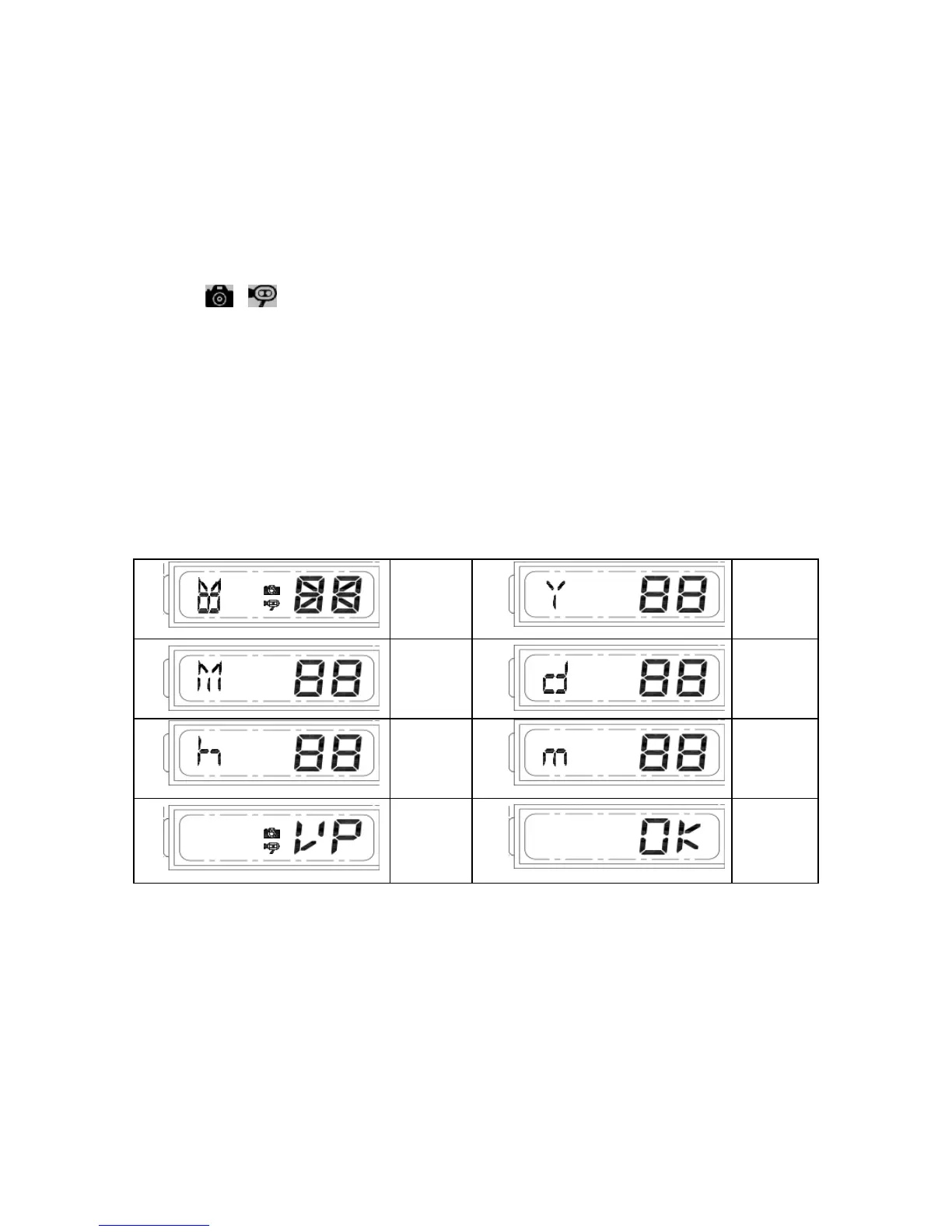
to scroll through numbers quickly. If you have not pressed the button
for 3 seconds,
it will automatically save the year and go on to
allow you to set the month.
3. Repeat the same setting procedure for MONTH/DATE/HOUR/MINUTE.
4. “VIDEO/PHOTO ”setting:when entering this mode, these two
icons and “V” appear on the screen;push the button to
choose ”V”(Video)or ”P”(Photo). If you have not pushed any
buttons for 3 second, “OK” will appear on the screen, indicating it has
automatically saveed the current settings. The LCD screen will shut
off automatically 10 seconds later.
Note: On the ”P” (photo) setting, SmartGuard will take a series of digital
photographs at a rate of 1-3 photos every second when the motion sensor
is triggered


 To Next Page