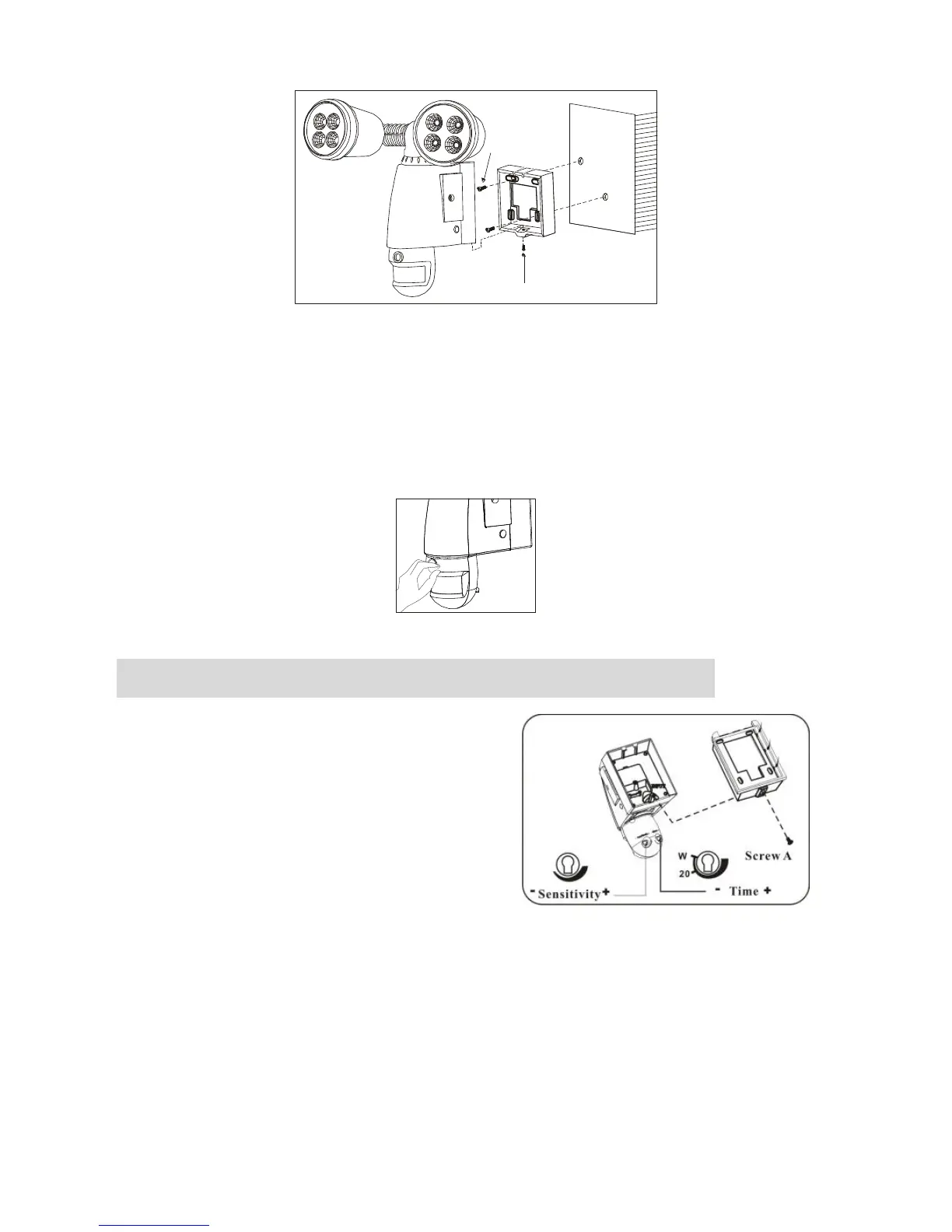
Please allow 1 minute warm-up time after switching on.
* Push the RESET button after switching on.
Remove plastic lens cover from camera after installation.
(see fig. 8)
Step 3 Adjusting the Settings (see fig. 9-11)
Time control:Turn the
time control knob to”+” side
to increase the illumination
time (7 minutes max.), turn
the control knob to “-“ side
to reduce the illumination
time (5 seconds min.).
To perform a walk test turn the knob
fully to the “-“ side until the indicator faces the “W” mark.
When the walk test is completed adjust the knob to the “+” side
to your desired lamp on time (we recommend this be at least 20
seconds to ensure lighting of the area is sufficient for
recording – 20 seconds is marked as “ 20” on the product.


 To Next Page