Smartguard Motion Light with Video
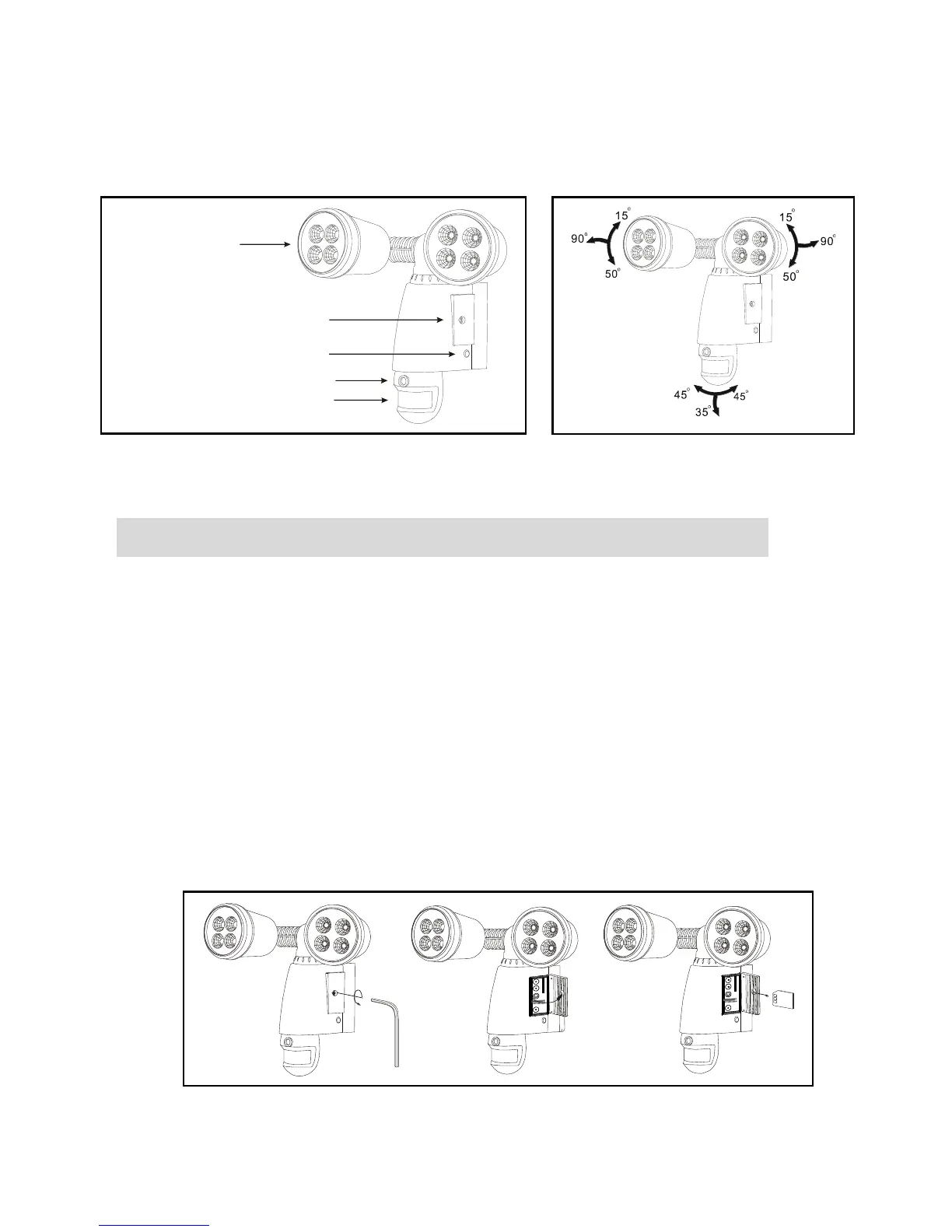
Camera overview
Step 1. Insert/remove memory card (see fig. 3):
Unscrew the waterproofed cover using provided Allen key
(part no.④), then insert the memory card (part no.②) until it
automatically locks into place.
If you need to remove the memory card (part no.②), please
press OFF button and take it out within 30 seconds.
When LED light turns green, meaning memory card (part no.
②) is being read, do not remove memory card (part no.②) or
data may be lost.
To remove memory card (part no.②), push in memory card
(part no.②) once to eject, then pull out.


 To Next Page