7
How to Use
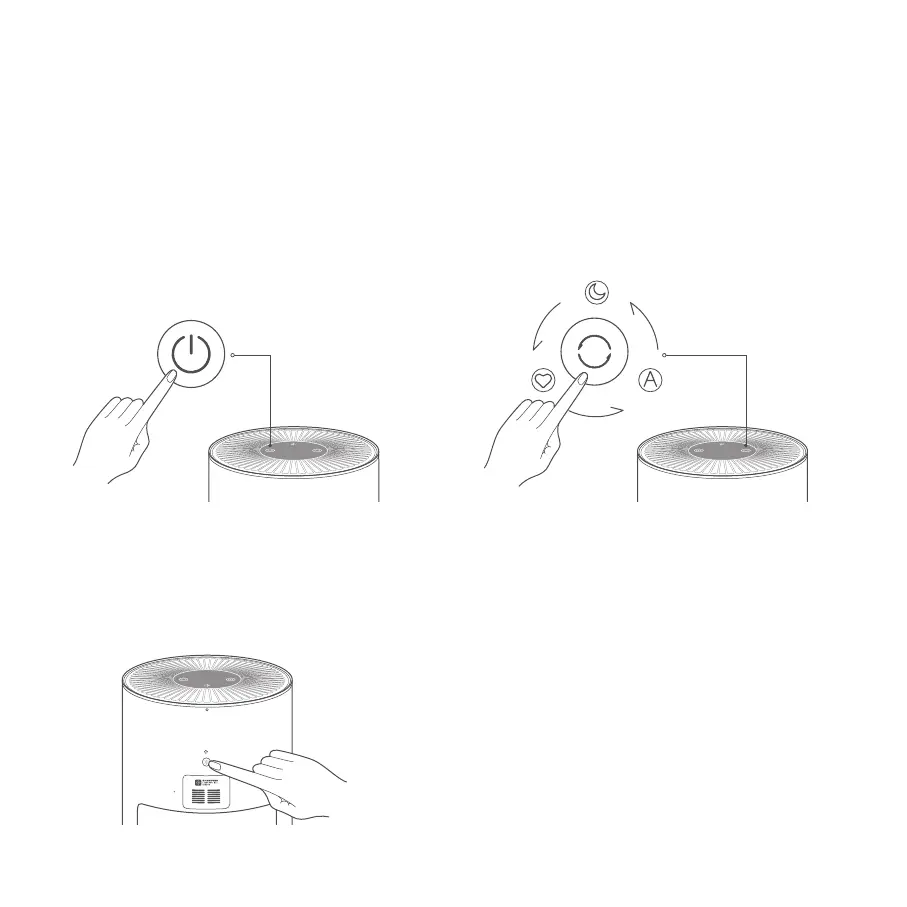
Turning on/off
Adjusting the display's brightness
Switching mode
Note: When the screen is off, click the "Power On/Off Button" or "Mode Switch
Button" to wake up the screen, in the case of no operation for 10 seconds, it
return to screen off status.
Tap the power button to turn on the purifier.
While the purifier is on, tap the power button to turn it off.
Press the display on/off button to cycle through its brightness
levels: on, dim, and off.
While the purifier is on, tap the mode switch button to cycle
through modes.


 To Next Page