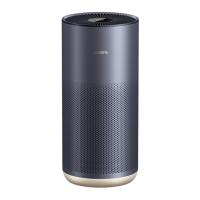
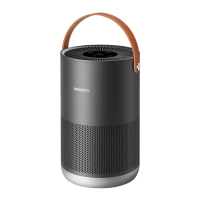
The Smartmi Air Purifier P1 is a home appliance designed to improve indoor air quality by filtering out particulate matter and other harmful substances. It is intended for use by individuals aged 8 years and above, including those with reduced physical, sensory, or mental capabilities, provided they receive proper supervision and instruction on safe usage and understand the associated hazards. Children should not play with the appliance, and cleaning or user maintenance should not be performed by children without supervision.
Function Description
The Smartmi Air Purifier P1 operates by drawing in ambient air, passing it through a filter system, and then releasing purified air back into the environment. It features a touch display screen on the top for easy interaction and monitoring. The device includes a fan grille, a handle for portability, a laser particulate matter sensor to detect air quality, and a power port at the bottom for connection to an electrical outlet.
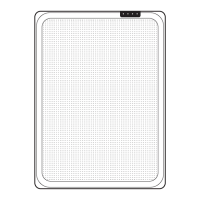
The touch display screen provides various indicators and controls:
- Pollen Alert Indicator: Displays pollen levels using a color-coded system (Green for Very good, Yellow for Good, Orange for Moderate, Red for Unhealthy).
- Wi-Fi Status Indicator: Shows the device's Wi-Fi connection status.
- PM2.5 Indicator: Displays the current PM2.5 levels in the air.
- Timer: A button to cycle through time settings (0h, 1h, 2h, 4h, 8h) to activate a shutdown timer. The timer display changes according to the selected time setting.
- PM2.5 Level: Indicates the current PM2.5 concentration.
- Light Sensor: Automatically adjusts screen brightness based on ambient light to prevent light pollution at night.
- Custom Indicator: Illuminates when "Custom" mode is selected, allowing for personalized purification settings via the Smartmi app.
- Auto Indicator: Illuminates when "Auto" mode is selected, where the purification rate automatically adjusts based on indoor air quality (IAQ).
- Mode Selection Button: Used to switch between different purification modes.
- Mode Display: Shows the currently active mode:
- Sleep: Operates in ultra-low noise mode for a quiet sleeping environment.
- Normal: Operates at its optimal mode and noise level for daily use.
- Custom: Allows customization of the purification rate within the app. By default, it operates at full capacity, which may result in slightly noisier but superior results.
- Auto: Automatically adjusts purification rate based on IAQ.
- Power Button: Used to turn the purifier on and off.
Usage Features
To use the Smartmi Air Purifier P1:
- Placement: Place the purifier on a flat and stable surface with the touch screen facing upwards. For optimal air purification, maintain a distance of at least 20 cm between the air inlets and walls or other obstructions. Keep doors and windows closed during use.
- Power Connection: Connect the power adapter to the power port at the bottom of the main unit, then plug the adapter into a power socket.
- Power On: After connecting to a power supply, press the power button to turn on the device. Upon initial startup, the purifier will operate in "Auto" mode. For subsequent startups, it will resume the mode it was in when previously shut down.
- Mode Selection: Press the mode selection button to cycle through different purification modes (Sleep, Normal, Custom, Auto).
- Timer Setting: Press the timer button to set a shutdown time in advance. Available intervals are 0h, 1h, 2h, 4h, and 8h. Selecting "0h" cancels the timer. The timer indicator will illuminate when activated. If the timer runs out, the purifier will shut down automatically. The timer will restart only if it has been reset.
- Power Off: Press the power button to turn the purifier off.
Smartmi App Integration:
The Smartmi Air Purifier P1 can be connected to the Smartmi app, allowing for remote control and interconnection with other Smartmi products. Users can download the app by scanning a QR code or searching for "Smartmi" in their app store. Through the app, users can:
- Adjust purification levels in "Custom" mode.
- Lock/unlock the touch screen. When the screen is locked, the purifier cannot be operated via the physical buttons, and "LOC" will be displayed if buttons are pressed. The purifier can still be turned off while locked.
- Check the filter lifespan, displayed as a percentage.
- Receive reminders when the filter's lifespan reaches 10% or less, indicating it's time for replacement.
Resetting Features:
- Resetting Wi-Fi: If the phone fails to connect to the purifier, hold down the mode selection button and the timer button simultaneously for 5 seconds. The Wi-Fi icon on the screen will flash, and a sound will indicate successful Wi-Fi module reset.
- Resetting Purifier: To fully reset the purifier, hold down the mode selection button and the power button simultaneously for 10 seconds. A sound will confirm the successful reset.
Maintenance Features
Regular maintenance is crucial for the optimal performance and longevity of the Smartmi Air Purifier P1. Always power off and disconnect the purifier from the power supply before performing any maintenance.
Precautions for Maintenance:
- Do not spray liquid onto the purifier's casing or wipe it with a wet cloth, as this could lead to water leaking into the device's base.
- Do not clean the laser particulate matter sensor with hot air.
Cleaning the Filter Housing:
- Turn over the purifier and remove the filter by rotating it counterclockwise.
- Use a vacuum cleaner to remove dust from the ventilation hole and cabin walls, or wipe them with a soft, dry cloth.
- Re-install the filter after cleaning.
Cleaning Laser Particulate Matter Sensor:
- Turn over the purifier and remove the filter by rotating it counterclockwise.
- Use a screwdriver to loosen the screws on the sensor cover.
- Remove the cover and clean the sensor with a hair dryer or pneumatic air gun (using cool air).
- Once cleaning is finished, fix the cover back onto the sensor and tighten the screws.
Replacing and Resetting the Filter:
Filters should be replaced every 6-12 months, or when the Smartmi app sends a reminder that the filter's lifespan is 10% or less.
- Turn over the purifier and remove the old filter by rotating it counterclockwise.
- Replace the filter with a new, genuine Smartmi filter, following the instructions in the user manual.
- After replacing the filter and turning on the purifier, hold down the mode selection button for 5 seconds. A sound will indicate that the purifier has restarted the filter replacement count.
Filter Lifespan and Recovery:
The filter contains activated carbon. When saturated, it may retain odors from absorbed harmful gases. Leaving a used filter in a well-lit and ventilated area can allow the activated carbon to partially recover its absorption capability. However, timely replacement of the filter once its recommended life is over is advised for continued effective purification.
General Precautions:
- Always turn off and unplug the purifier before moving it.
- The purifier will not turn on if the fan grille and filter compartment cover are not properly installed.
- Prior to cleaning or maintenance, the appliance must be disconnected from the supply mains.
- Regularly remove dust, hair, and other particles from the outer mesh screen of the filter to reduce bacteria growth.
- Remove dust, hair, and particles from the purifier's air inlets to prevent reduced air intake.
- Cover the air outlet to prevent dust, hair, and other particles from falling in when the purifier is left unused for a long time.
- Use only the provided power adapter; do not use third-party adapters.
- Do not excessively pull, twist, or bend the power adapter cord.
- Plug the power adapter into a suitable electrical outlet.
- Stop using the purifier immediately if it makes unusual sounds, emits bad odors, overheats, or if its fan rotates irregularly.
- Do not insert fingers or foreign objects into protective parts, movable parts, air inlets, or air outlets.
- Keep objects like hairs or fabrics away from the purifier to avoid blocking air inlets or outlets.
- Do not sit on, lean on, or tilt the purifier.
- When using with gas-fueled appliances (e.g., gas stoves, heaters), ensure sufficient ventilation to prevent carbon monoxide poisoning.
- Do not pour liquids, throw powders, or other small substances into the purifier's air outlet.
- Avoid using the purifier near open flames (candles, incense burners, stoves, fireplaces, cigarettes, lighters, etc.) or high-temperature appliances (electric heaters, fan heaters, electric foot warmers, electric stoves, electric irons).
- Ensure no inflammable objects enter the purifier.
- Do not use in unstable locations where the purifier could easily fall over.
- Avoid extremely hot, humid, or damp environments, such as bathrooms.
- The power adapter must be replaced with a genuine part purchased from the manufacturer or after-sales service department if damaged.
- Do not use this appliance with any solid-state speed control device to reduce the risk of fire or electric shock.

 Need help?
 General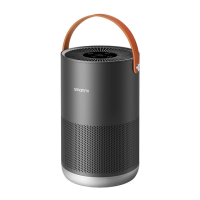

 To Next Page