10. Battery Instructions
10. Battery Instructions
Battery Removal
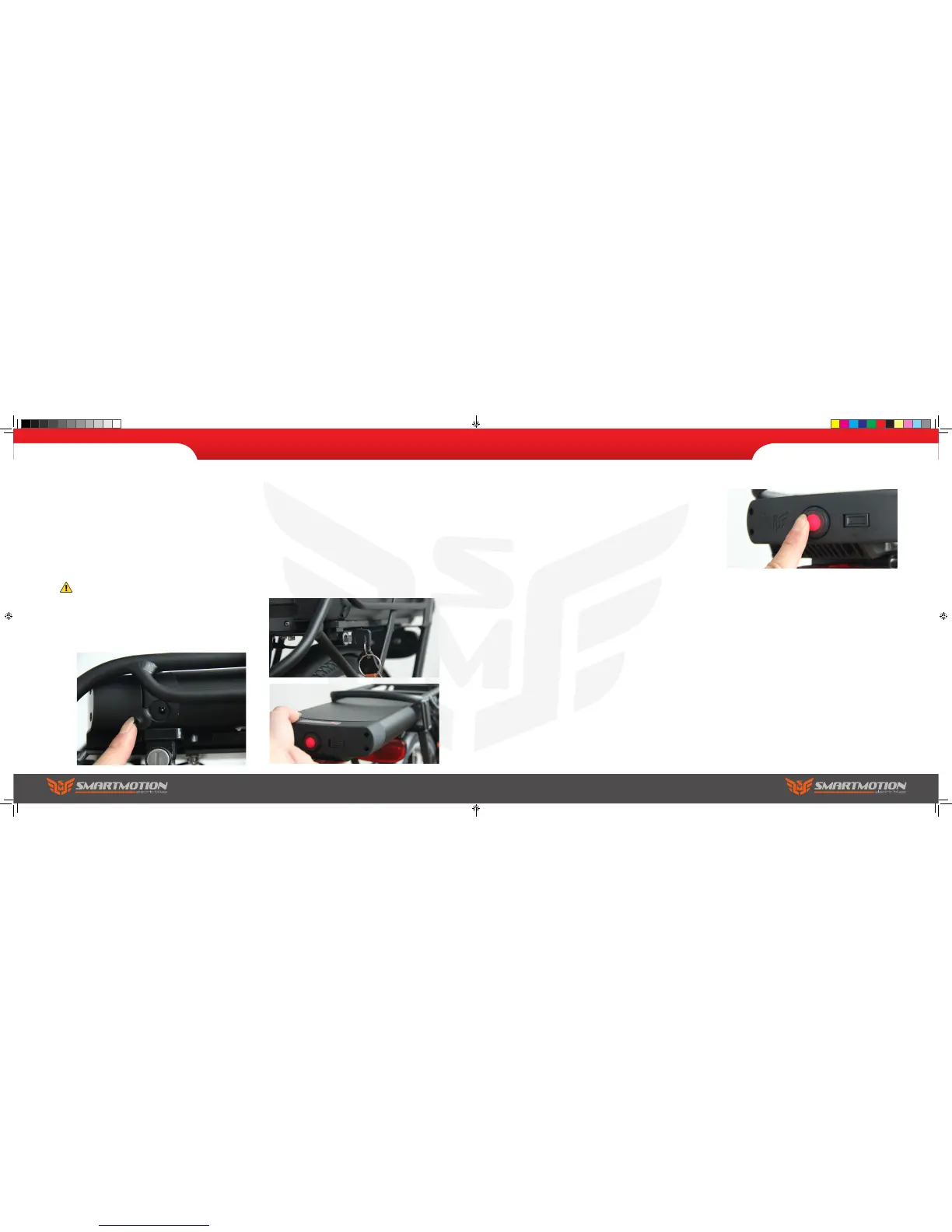
To remove the battery, insert the key into the lock
on the front left side of battery rack and turn the
key, then pull the battery (using the underside
nger groove) to slide it out the back of the rack.
Note: the lock is not automatic, so key is required to
reload the battery… simply slide it back in until it
locks, making sure you are correctly on the slide rail
rst.
10. Battery Instructions
Power On/Off
On the centre rear of the battery is the power on/off
button. When pushed in, the led inside the button
will light, indicating the battery output power is
live. It is good practice to turn the battery off when
leaving your bike (press the button so it clicks out,
and the red led fades). This also makes your bike
safer as cannot be turned on from the handlebar
console.
Note: if you leave the battery on, but do not use the
bike, it will enter sleep mode after several hours and
power down (red light will go out). To reactivate the
battery, push the button to ‘click it out’, then push
again to click it back in again, and the led will light
up, indicating the battery is live again. Note: when
charging the battery off the bike, always turn the
power off before redocking to the bike (if battery
power is on there will be a spark as the terminal
reconnects to the bike, which causes damage to the
battery socket and reduces conductivity).
Connections
All ebike components (throttle, brake sensors,
controller, etc) on the SmartMotion bikes have
isolating marine-rated plugs, so, should you
damage a component, replacement is easy. Take
the bike to your local dealer and they will order a
replacement pair
Charging your Battery
You can charge the battery on or off the bike. The
charge terminal is on the front of the battery. Plug
the charger into the wall and switch on. Turn on
the battery then lift the rubber cap and plug in
your charger. The charge light on the charger will
show red, and turn green when the battery is fully
charged.
Plugging a live charger into the battery while it is
turned off can create a spark.
Note: be careful to properly reinstall the rubber cap
before re-using your bike.
Classic user manual.indd 26-27 7/15/2016 5:00:19 PM



 To Next Page