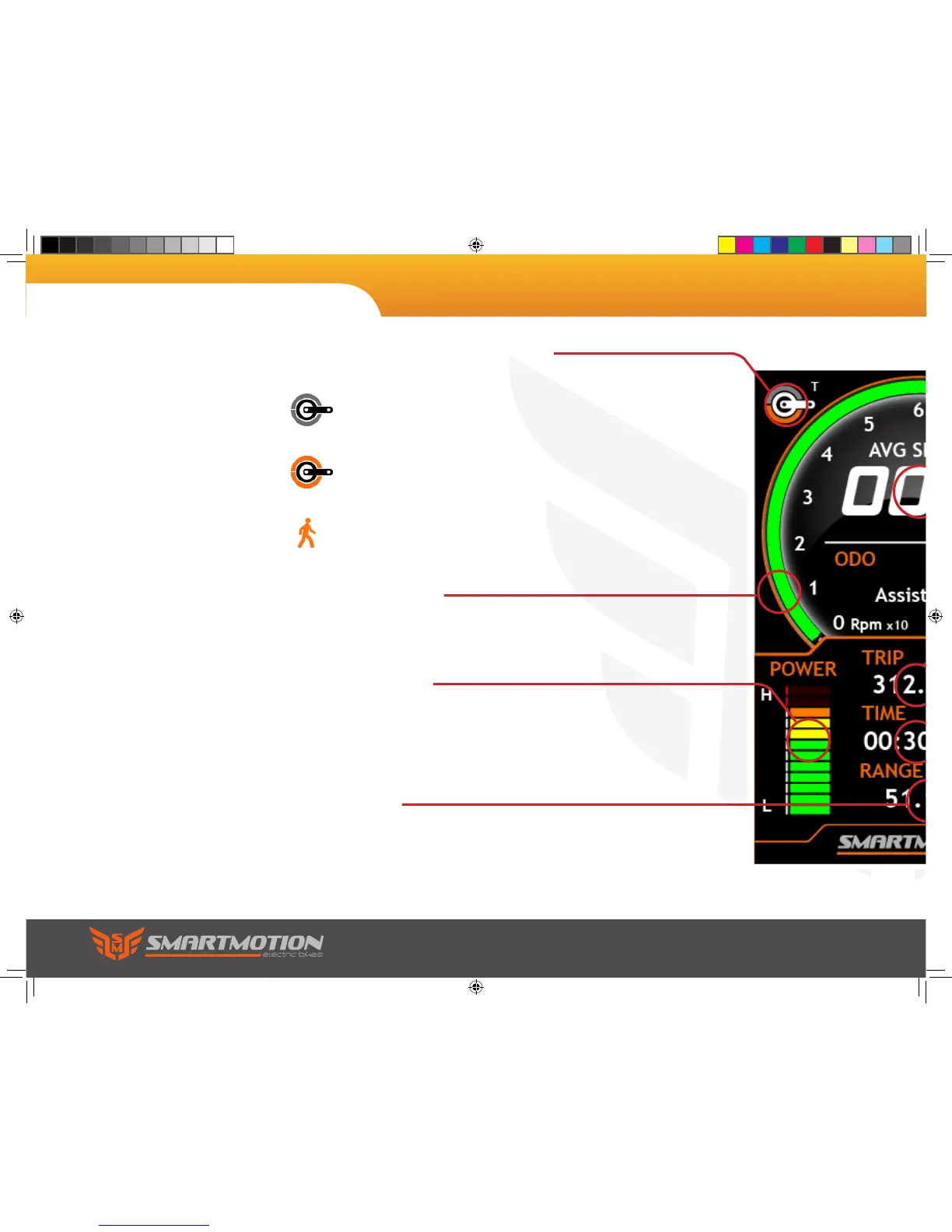
Pedal Cadence
This outer ring lights up to show you your
pedal/motor RPM.
Range
Calculates and dislays the distance left in the
battery.
Power Meter
Shows how much power the motor is using.
Cadence/Torque/Walk-along
An icon will be displayed depending what mode
of assist.
Cadence measures your pedal rotation, but not
pressure. Use this mode for the easiest ride.
Torque mode measures your pedal pressure
and multiplies the output.
Walk-along will allow you to walk with the
bike with a small amount of assistance.
8. LCD Display Panel
Sonic user manual.indd 18 9/4/2017 3:50:57 PM


 To Next Page