6 7
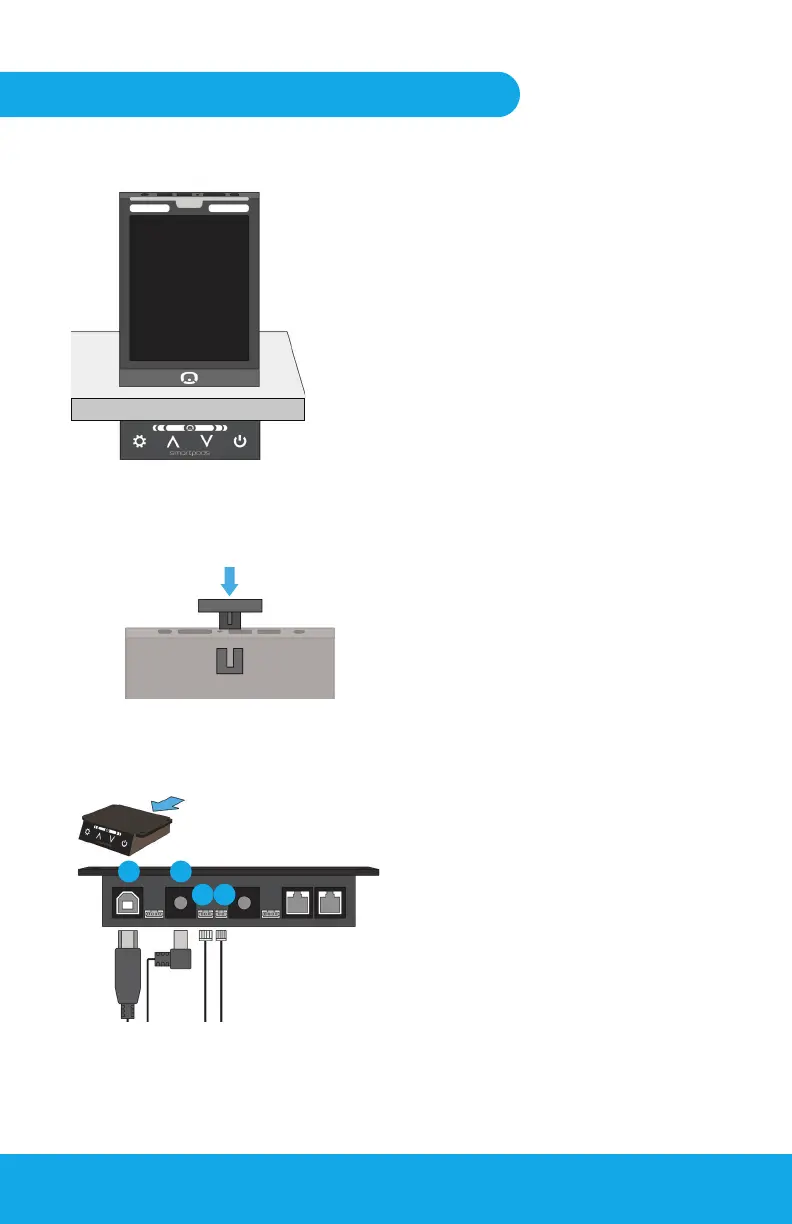
Fig 4-1
Fig 4-3
Fig 4-2
Tower Connections
Placing the Earphone Hook
21
3 4
Step Four: Setting up the Pulse Tower
Place the Pulse Tower on the desk
surface, roughly above the Control
Box. Unwrap the cabling of the
Tower and hang over the rear edge
of the desk (or through nearby
grommet).
Plug the connectors of the Tower
cabling into the rear of the Control
Box.
Control Box Ports:
1. USB
2. Tower Power
3. Activity light
4. Task light
Locate the Tower Headphone
Hook and slot it into the rear panel
of the Pulse Tower.
Tower Placement
4.
6.
5.


 To Next Page