8 9
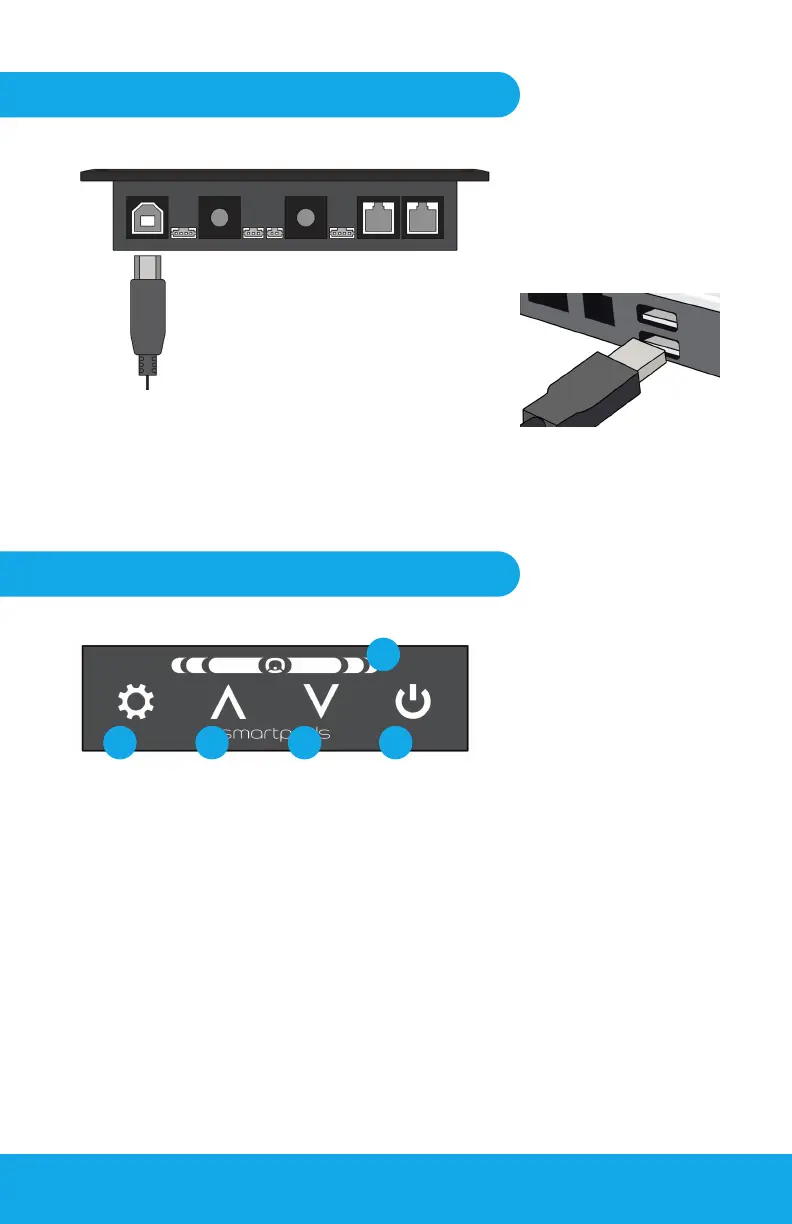
Plug the rectangular
end of the USB cable
into a free USB slot of
your Desktop, Laptop or
docking station.
Pulse Control Box to Computer
Pulse Control Box to Computer
Plug USB into an empty port.
Fig 6-1
Fig 7-1
Fig 6-2
Plug the USB-B end of the USB cable
into port 1 of the Control Box.
1. Cog button - (On the Tower = Task Light; on a PC = unassigned)
2. Up button
3. Down button
4. Power button (O = Manual; On = Automated/Semi-automated)
5. Indicator light (Indicates movement, safety, hoteling and absence)
21 43
5
The Control Box: Button functions
PC or Laptop Installation: USB connect


 To Next Page