Home
SmartPool
Swimming Pool Cleaners
NC71AU
Page 25
SmartPool NC71AU - Page 25
72 pages
Manual
Save Page as PDF
To Next Page
To Next Page
To Previous Page
To Previous Page
Loading...
w
w
w
.
s
m
a
r
t
p
o
o
l
.
c
o
m
25
4)
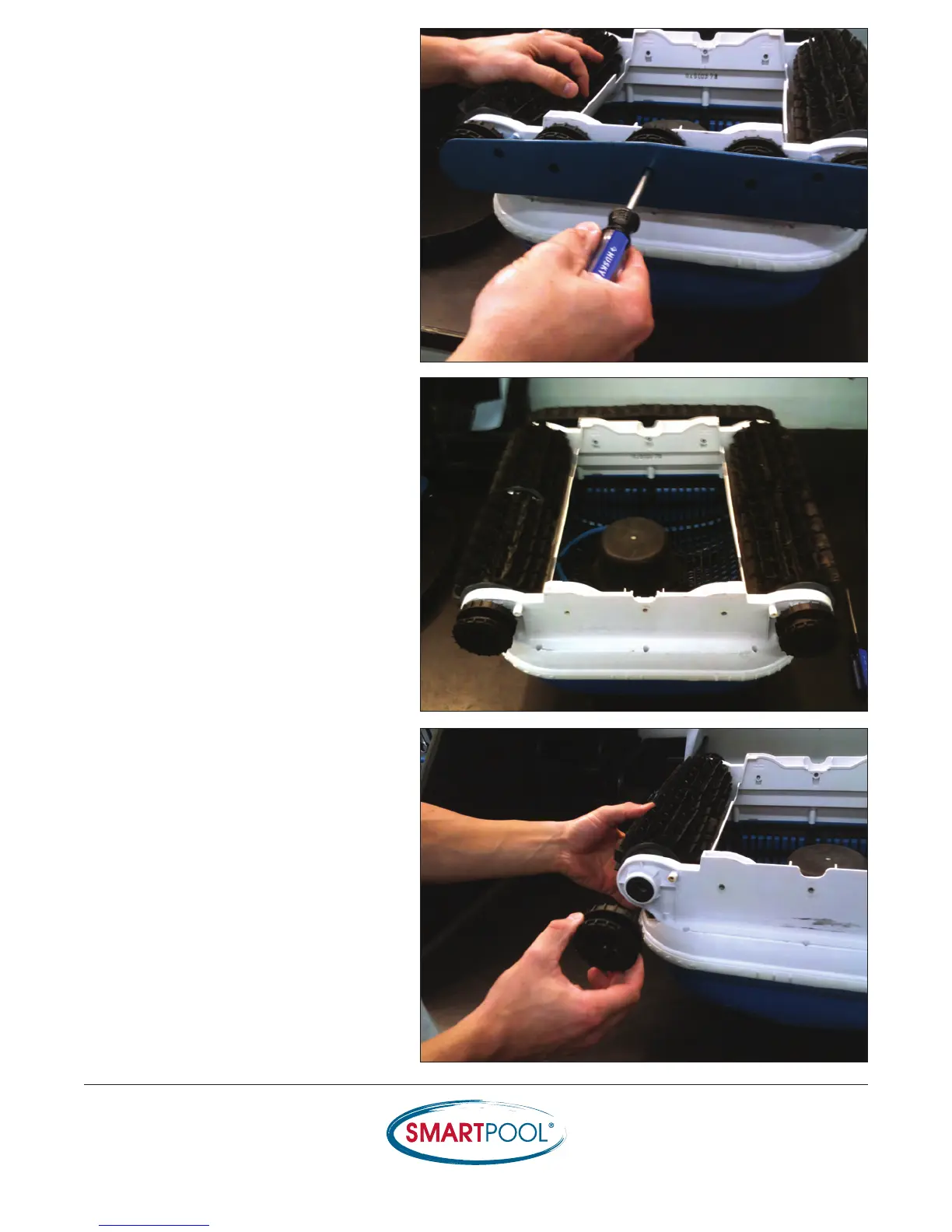
With a Phillips Head screwdriver
,
remove
the (5) screws from each side-plate .
5) Remove both side-plates
.
6) Remove the (2) Drive Pulleys on the Drive
Motor side using a Phillips Head
screwdriver
.
24
26
Table of Contents
Main Page
Exploded View and Parts List
2
Water Test
4
Troubleshooting Guide
6
Scrubber Series Evaluation
8
Test the Power Supply
11
Test the Cable
13
Test Drive Motor
15
Replacing the Cable
17
Replacing the Drive Motor
23
Replacing the Pump Motor
30
Smartpool Cleaner Evaluation
36
Test Voltage through Cable
41
Test the Voltage to the Drive Motor
43
Testing Sensor Wheels
46
Replacing the Drive Brushes
60
Replacing the Foam Ring
62
How to Locate the Serial Number
65
Installation of Cleaner Weights
67
Replacing the Bottom Lid Support Clips
68
Admiral Troubleshooting Guide
70
Related product manuals
SmartPool CLIMBER NC52S
20 pages


 To Next Page