11
●
When the switch of alarm 1 or alarm 2 is moved to the " OFF
" position, the symbol of " " or " " disappears. The alarm
function will be deactivated.
8.2 Manual Setting of the Alarm
●
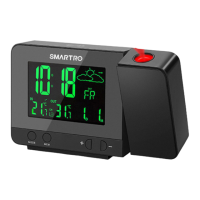
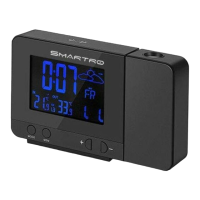
Press " ALARM " button can switch the display ALARM1 time or
ALARM2 time.
●
Press and hold " ALARM " button for more than 3 seconds the
hour display of the Alarm 1 starts to ash. Use the "
" and "
" buttons to set the required hour.
●
Press " ALARM " button to confirm your setting, the Minute
display of the Alarm 1 starts to flash. Use the "
" and " "
buttons to set the required minute.
●
Press " ALARM " button to confirm your setting, the Repeat
icon "M-F" of the Alarm 1 starts to ash. Use the "
" and " "
buttons to set the alarm repeat in " M-F " , " S-S " or " M-F " and " S-S ".
●
Press " ALARM " button to conrm your setting, the snooze time
of the Alarm 1 starts to ash. Use the "
" and " " buttons to
set the snooze time you need or turn o the Snooze function.
●
Press " ALARM " button to conrm your setting, the Hour display
of the Alarm 2 starts to ash. Use the "
" and " " buttons to
set the required hour.
●
Press " ALARM " button to confirm your setting, the Minute
display of the Alarm 2 starts to flash. Use the "
" and " "
buttons to set the required minute.
12
●
Press " ALARM " button to conrm your setting, the repeat icon
" M-F " of the Alarm 2 starts to flash. Use the "
" and " "
buttons to set the alarm repeat in " M-F " , " S-S " or " M-F " and " S-S ".
●
Press " ALARM " button to conrm your setting, the snooze time
of the Alarm 2 starts to ash. Use the "
" and " " buttons to
set the snooze time you need or turn o the Snooze function.
●
Press " ALARM " button to conrm your setting and to end the
setting procedure.
●
Alarm repeat setting.
— M-F:The alarm function will be activated from Monday to
Friday.
— S-S:The alarm function will be activated on Saturday and
Sunday.
— M-F and S-S:The alarm function will be activated throughout
the week.
Please take note of the following:
●
The clock will automatically switch from setting mode to normal
mode if no button is pressed within 30 seconds.
●
The alarm will sound for 2 minutes if you do not deactivate it
by pressing any button. In this case the alarm will be repeated
automatically after 24 hours.


 To Next Page