16
(b)
(g)
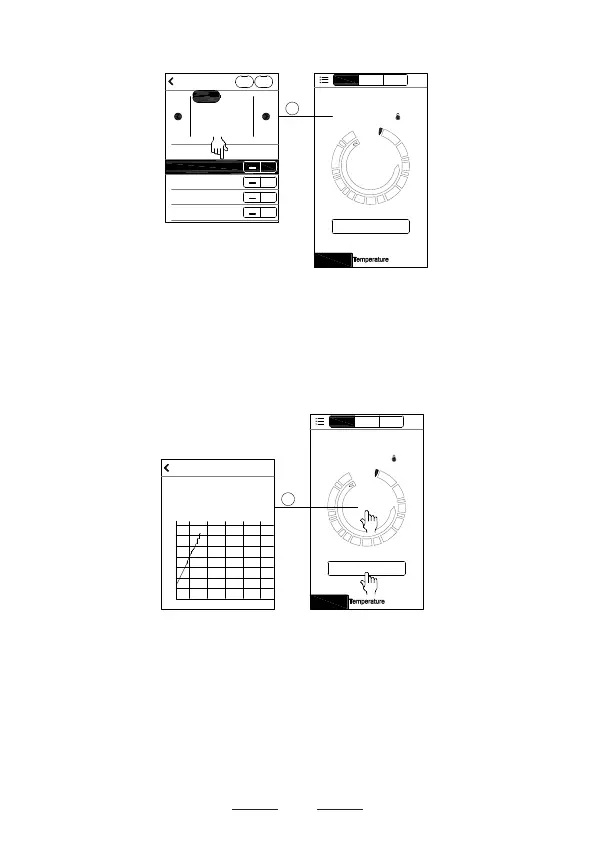
● Insert the metal probe tip into food you are cooking.
Click the
Start
button, the app starts to time, and then
click
Current Cook Temperature
on screen (b), you will
see the history of time-temperature on screen (g).
Start
Channel2
Time: 01m 20s
Timer
Profile
Beef
Well Done
174°F
131 °F
Profile
Channel3
Pair
Channel1
131°F
20:40 20:41 20:42 20:43 20:44
90°F
81°F
98°F
107°F
115°F
124°F
132°F
141°F
History
1
● You can now monitor your cooking progress on your
smart device under Bluetooth connection status. When
the set temperature has been reached, your smart
device will alert you with the sound you have chosen and
the measurement channel will flash on the SMARTRO
thermometer.
Start
Channel2
Time: 01m 20s
Timer
Profile
Beef
Well Done
174°F
131 °F
Profile
Channel3
Pair
Channel1
Doneness:
Add Del
Medium Rare
Rare
Beef
Veal
Lamb
Pork
Chicken
Turkey
Fish
Hamburger
145°F
140°F
+
+
Medium
160°F
+
Well Done
171°F
+
1
(b)
(f)


 To Next Page