Scan the QR code we provide below or download it from:
https://unibuying.blob.core.windows.net/apks/BTNotification_K6.apk
To end the DZ09 IOS acts as a Bluetooth device. Turn on Bluetooth on terminal and the DZ09
then search and match both devices. In this way smartwatch can use to make and receive calls
via Bluetooth. Currently application "BTNotification" is available for iOS devices. In addition,
applications installed "Remote Notifications", "Remote Capture" and "Anti-lost" do not work on
terminals IOS.
b. Using it as a Smartwatch Phone
To use DZ09 as a watch-phone individually need to insert a SIM card.
To do this, open the rear cover and remove the battery. Slide the metal clamp slot card
SIM as shown in the screen printing plate (OPEN). Insert the SIM card and close the fastening
metal sliding in the direction (LOCK) as shown in the screen printing same. Then put the battery
and close the back cover of the smartwatch. In this way DZ09 can use as a watch-phone.
In case the DZ09 not connect with the operator of the SIM contact: Settings -
Network Configuration - Select network - and select the desired operator. this operation
may take a few seconds. Once configured should appear in the signal range available.
NOTE: DZ09 only supports 2G: GSM 850/900/1800 / 1900MHz.
3. What's in the Box Case
Within the product box we find the following items:
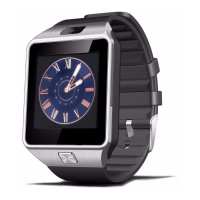
- DZ09
- Micro USB charging cable
- User Guide (English)


 To Next Page