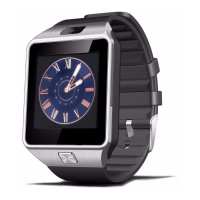
- While charging, the DZ09 heatable. This is normal and should not affect the functions of the
device.
- To save energy, unplug the charger when you are not using it. Battery maintenance.
- The working time of the battery is affected by the use of the device and the condition Of the
same.
- The battery is a consumable item. The working time of the battery can be reduced when
multiple applications are used simultaneously. In addition, this time It can be reduced but also
the terminal is idle.
8. Off and Powering Off and Powering DZ09
Press and hold the power button for a few seconds to turn on the DZ09. You can use the device
as a smart-phone or a Bluetooth device after install the "BTNotification" application in the
terminal.
To turn off the DZ09, press and hold the power button and select "YES" when prompted to turn
off the device.
9. Information on using the Bluetooth information using Bluetooth
- To avoid problems when connecting the DZ09 with other mobile device, place both devices
close to each other.
- Ensure that the DZ09 and the other Bluetooth device are within the range of connection
(10m). The distance may depend on the environmental conditions where devices are used.
- Check that there are no obstacles between the DZ09 and smartwatch as walls, metals,
insulating coatings, ...


 To Next Page